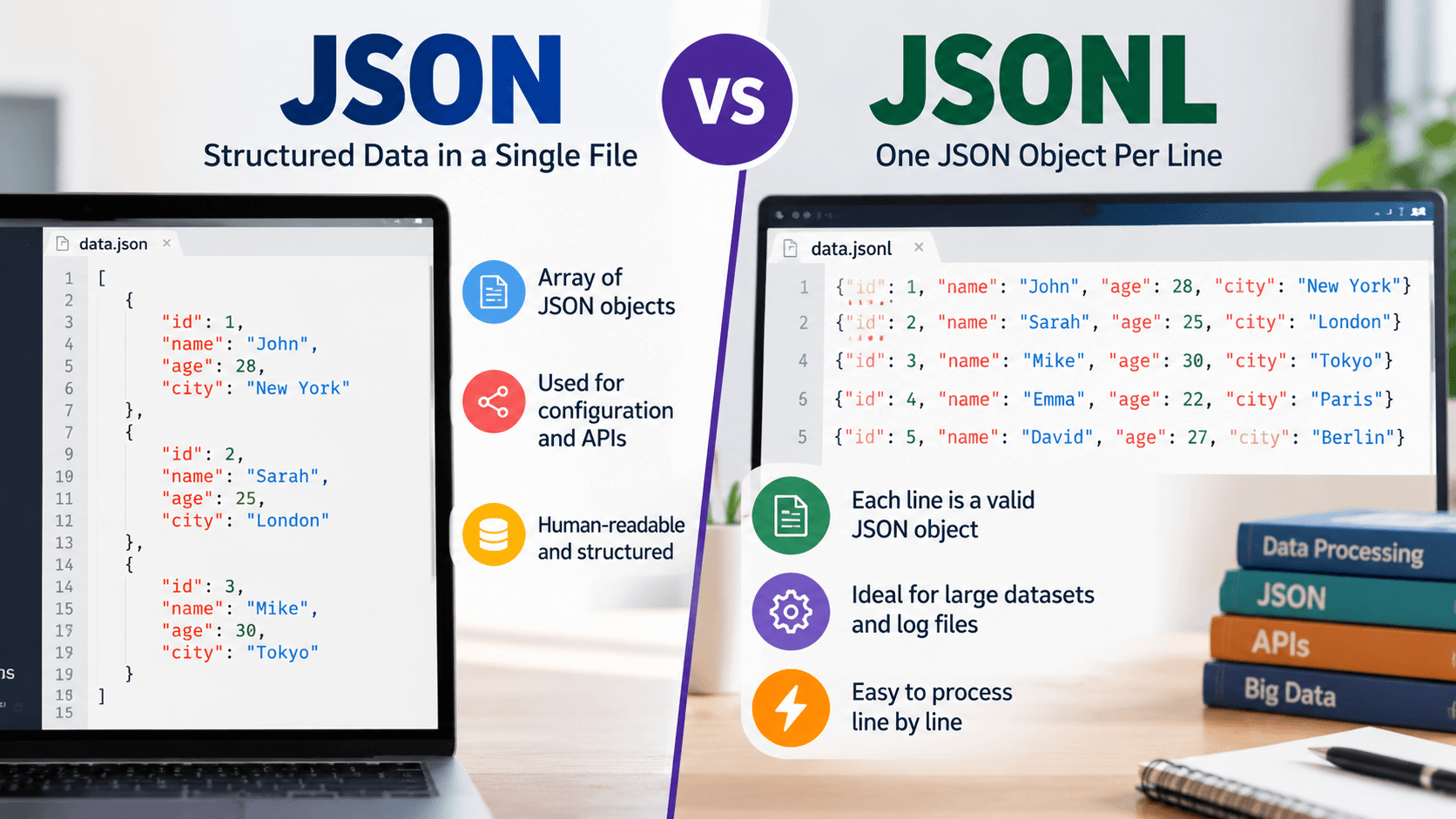
What Is JSONL or JSON Lines? Understanding Formats, Use Cases & JSON vs JSONL
JSONL, or JSON Lines,s is a typical JSON format in which each line is a valid JSON value. The JSONL file normally has a …
Read moreConvert plain text files to JSON format with multiple parsing options
Drag & Drop your .txt file here
or click to browse
Table of Contents
The TXT to JSON Converter is a powerful online tool that transforms plain text files into structured JSON format. Unlike simple converters, our tool offers multiple parsing modes to handle different text structures - whether you have line-separated data, key-value pairs, CSV data, or paragraphs.
JSON (JavaScript Object Notation) is the standard format for data exchange in web applications. Converting your text data to JSON makes it easy to use with APIs, databases, and modern applications. Our tool intelligently parses your text and creates properly formatted JSON output.
Each line becomes an array element
Lines with line number metadata
Parse key=value or key:value format
Parse comma or tab-separated data
Split by empty lines into paragraphs
Extract and analyze all words
Input (TXT):
Apple Banana Cherry Orange
Output (JSON):
[ "Apple", "Banana", "Cherry", "Orange" ]
Input (TXT):
name=John Doe age=30 city=New York active=true
Output (JSON):
{ "name": "John Doe", "age": 30, "city": "New York", "active": true }Input (TXT/CSV):
name,age,city John,25,NYC Jane,30,LA Bob,35,Chicago
Output (JSON):
[ {"name":"John","age":25,"city":"NYC"}, {"name":"Jane","age":30,"city":"LA"}, {"name":"Bob","age":35,"city":"Chicago"} ]Our converter handles various text formats including plain text files (.txt), CSV files, tab-separated values (TSV), key-value configuration files, log files, and any other plain text content. The tool intelligently parses different structures based on your selected mode.
Auto-detect mode analyzes your text content to determine the best parsing strategy. It checks for common patterns like CSV delimiters (commas, tabs), key-value separators (equals, colons), and structured formats. If no specific pattern is detected, it defaults to line-by-line parsing.
Yes! The converter automatically detects and converts data types. Numbers are converted to JSON numbers, "true"/"false" become booleans, "null" becomes null, and everything else remains as strings. This ensures your JSON data is properly typed for use in applications.
The tool is designed to handle typical text files efficiently. For optimal performance, we recommend files under 5MB. Larger files may take longer to process. All processing is done securely on our servers, and your data is not stored after conversion.
While this tool focuses on TXT to JSON conversion, you can use our other tools for the reverse process. JSON can be exported to various text formats using our JSON formatter, JSON to CSV converter, or by simply copying the raw JSON content.
JSONL, or JSON Lines,s is a typical JSON format in which each line is a valid JSON value. The JSONL file normally has a …
Read more
Any Large Language Model (LLM) writes text content one token at a time, and then writes the next token. text one token a…
Read more
You’ve got a JSON response from an API. It’s got nested objects, arrays, nullable fields the works. Before t…
Read more