
How to Repair Broken JSON from LLMs: Common Errors and Fixes
Any Large Language Model (LLM) writes text content one token at a time, and then writes the next token. text one token a…
Read moreTable of Contents
If you've ever pulled data out of a spreadsheet, a database export, or an analytics tool, there's a good chance you've run into "flat" JSON the kind where nested fields get squashed into single keys using dots, like "user.address.city" instead of a proper nested address object. It's a common format for storage and tabular tools, but it's a pain to work with once you actually need to use that data in an application, API, or config file.
That's what this JSON Unflatten Tool is for. It takes flat, dot-notation JSON and rebuilds it into the properly nested structure it was probably meant to have in the first place so "user.address.city": "Delhi" becomes a real nested object: { "user": { "address": { "city": "Delhi" } } }.
It's built for developers, backend engineers, and anyone who's had to deal with flattened exports from BigQuery, Elasticsearch, spreadsheets, or logging systems and needed the data back in a usable, hierarchical shape.
In simple terms: it reverses flattening.
When JSON gets "flattened," every nested key path gets collapsed into a single top-level key, usually joined by dots (sometimes underscores or other separators, depending on the source). This is common because flat structures are easier to store in spreadsheets, CSVs, or single-column database fields.
The problem is, flat JSON isn't how most applications expect to receive or work with data. APIs, frontend frameworks, and config systems generally expect proper nested objects not keys like settings.theme.color.
This tool parses those dotted keys and rebuilds the full object hierarchy automatically.
Example Before (Flat JSON):
{ "name": "Rohan Sharma", "address.city": "Pune", "address.pincode": "411001", "contact.email": "[email protected]", "contact.phone.mobile": "9876543210" }Example After (Unflattened / Nested JSON):
{ "name": "Rohan Sharma", "address": { "city": "Pune", "pincode": "411001" }, "contact": { "email": "[email protected]", "phone": { "mobile": "9876543210" } } }Notice how every dotted key path gets rebuilt into its own nested level, no matter how deep it goes. The tool also correctly handles arrays when index-style keys are present (e.g., items.0.name, items.1.name), reconstructing them as actual array elements rather than leaving them as object keys.
Flattened JSON shows up in more places than people expect, and once you have it, you usually need to convert it back for one of these reasons:
Data exported from spreadsheets, CSVs, or BI tools often flattens nested structures automatically. If you're feeding that data back into an app or API, you need the original hierarchy restored.
Tools like Elasticsearch, Google Analytics exports, and event-tracking systems often store data in flat key-value form for indexing efficiency. When you pull that data out for reporting or app use, you often need it nested again.
Some systems store configuration as flat key paths (database.host, database.port) for simplicity in .env-style files, but your application code expects a nested config object.
Some APIs expect deeply nested payloads. If your data pipeline only has flat records, you'll need to unflatten before sending the request.
Flat JSON with dozens of dotted keys is genuinely hard to read. Unflattening it makes the structure visually clear and much easier to reason about, especially for deeply nested data.
| Aspect | Flat JSON | Nested JSON |
|---|---|---|
| Key format | "a.b.c": "value" | { "a": { "b": { "c": "value" } } } |
| Readability | Harder for deep structures | Easier to follow hierarchy |
| Storage | Works well in tables/CSV | Needs structured storage (documents, objects) |
| API usage | Rarely expected as-is | Standard format for most REST/JSON APIs |
| Common source | Spreadsheets, Elasticsearch, analytics exports | Application code, config files, JSON APIs |
Both formats represent the same data; the difference is purely structural. Unflattening doesn't add or remove any information; it just reorganizes existing key-value pairs into their natural hierarchy.
Drop your flat JSON with dot-notation keys into the input box, or upload a .json file directly.
The tool parses every key path and rebuilds the nested object structure automatically.
Copy the nested JSON to your clipboard or download it as a ready-to-use .json file.
That's it no configuration, no separator settings to fuss over for standard dot-notation input.
Flattened data often comes from real production exports user records, configuration values, or business data so handling it responsibly matters
If you're working with regulated or highly sensitive data, we'd still recommend checking your organization's data-handling policy before pasting it into any third-party web tool that's just good practice regardless of which tool you use.
It means converting flat JSON where nested fields are represented as single dot-separated keys like "user.name" back into a properly nested object structure like { "user": { "name": "..." } }.
Flattening usually happens when data needs to be stored in a table, spreadsheet, or single-column database field, where nested objects aren't naturally supported. Tools like Elasticsearch, CSV exporters, and some analytics platforms flatten JSON for this reason.
Yes. If your flat keys follow an index pattern like items.0.name and items.1.name, the tool detects the numeric indexes and rebuilds them as an actual array instead of leaving them as object properties.
By default, it works with the standard dot (.) separator, which is the most common convention for flattened JSON.
Yes, there's no practical depth limit for typical use cases the tool will reconstruct however many levels your dotted keys represent.
No. Unflattening only reorganizes the structure of your keys; it doesn't modify, delete, or alter any of the actual values.
No. Your data is used only to perform the requested conversion and isn't retained after processing.
The tool comfortably handles typical file sizes used in day-to-day development work. For extremely large datasets (multi-gigabyte files), a script-based backend approach is usually more practical.
Yes, completely free with no usage restrictions for standard file sizes.
The tool will flag the syntax issue before attempting conversion, since valid JSON input is required to produce a valid nested output.
Yes, the interface is fully responsive and works the same across desktop, tablet, and mobile browsers.
Yes, if you need to go the other direction, our JSON Flatten Tool converts nested JSON into flat, dot-notation key-value pairs.
Any Large Language Model (LLM) writes text content one token at a time, and then writes the next token. text one token a…
Read more
You’ve got a JSON response from an API. It’s got nested objects, arrays, nullable fields the works. Before t…
Read more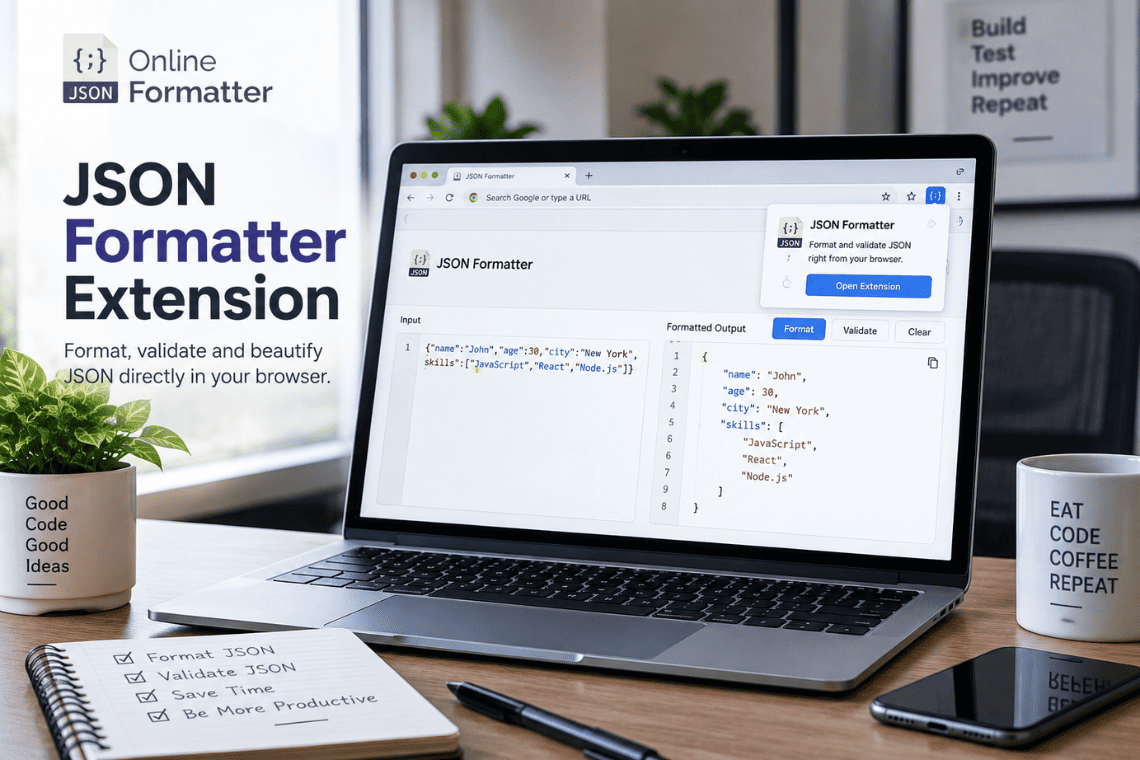
You open an API endpoint in a new tab to check a response, and the browser shows you a solid wall of text. No indentatio…
Read more