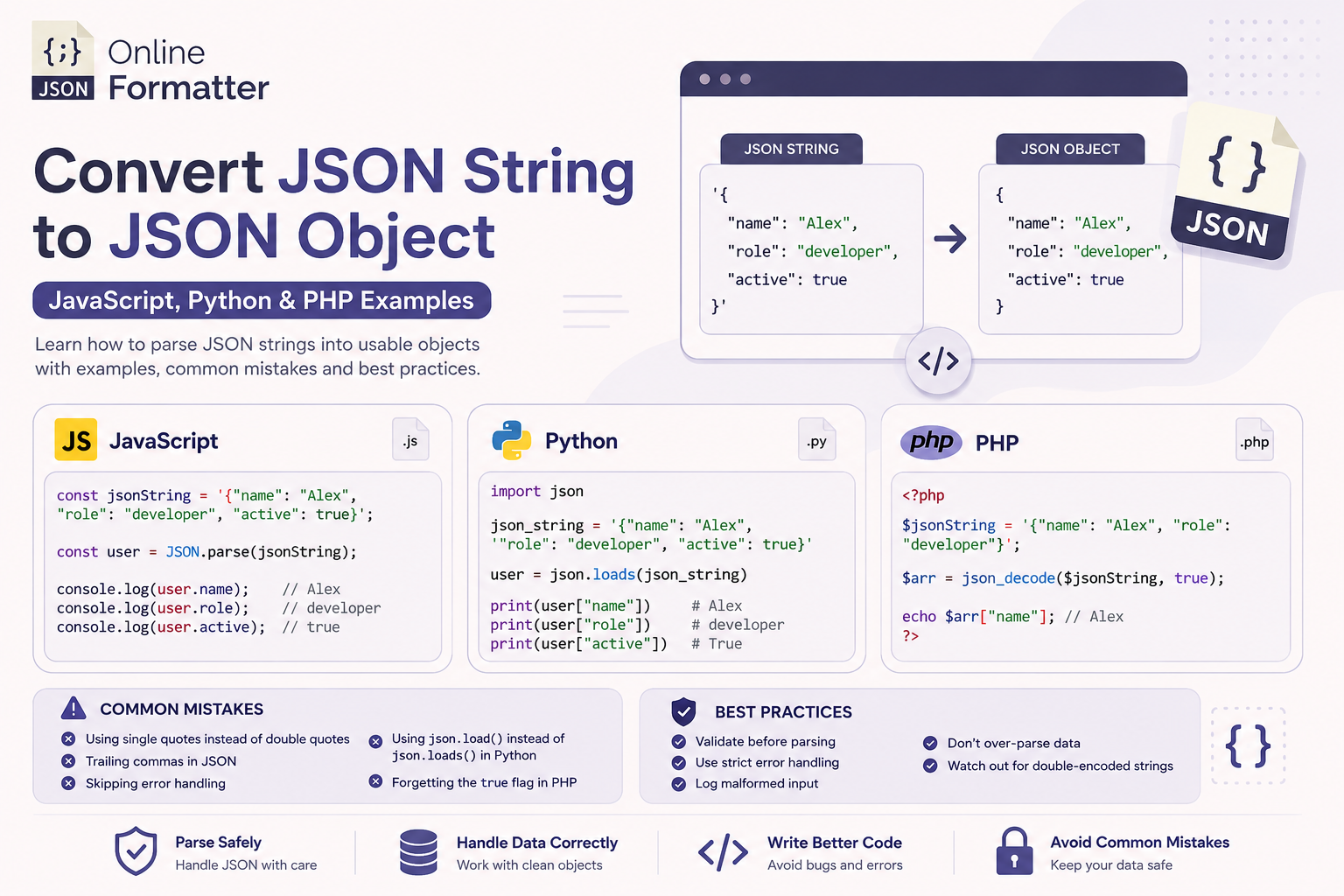
How to Convert JSON String to JSON Object – JavaScript, Python & PHP Examples
You’re calling an API. The response comes back. You try to access response.user.name and get nothing. Or worse, un…
Read moreTable of Contents
Lightweight and simple for both people and computers to read and write, JSON (JavaScript Object Notation) is a commonly used data structure. But as JSON data becomes more complicated, effective organization and management of this data might prove difficult. Here is where a JSON Sorter becomes rather helpful.
JSON Sorter is a tool designed to arrange the keys in your JSON data in a specified order, such as alphabetical order, numerical value, or even custom-defined logic. This organization improves the readability and consistency of the data, which is particularly useful during development, debugging, and data analysis.
The user opens the tool with their JSON data entered. Either uploading a JSON file or putting the data into a text box will allow you to do this.
Usually, JSON Sorters include many sorting criteria. Alphabetical sorting-where keys run alphabetically from A to Z-is the most often used method. Certain technologies, such as Online Json Formatter, additionally let users specify the sequence depending on certain criteria, therefore enabling bespoke sorting rules.
The user starts the sorting process upon choice of the sorting criteria. After that, the tool organizes the keys in the designated sequence by processing the JSON data.
The tool shows the sorted JSON after that. This data may be downloaded as a file for later use or copied to a clipboard.
Tools like OnlineJsonFormatter and JSON Formatter provide automatic sorting options where users can sort their JSON data with just a single click. This is particularly useful for quick tasks where complex sorting logic isn't required.
Advanced tools, such as Coder's Tool, allow users to define custom sorting logic. For instance, users can sort keys based on the length of the key name, numerical values, or any other custom logic that fits their specific needs.
JSON Sorters are made with simplicity in mind, hence their interface is friendly. Most programs provide an easy-to-use interface wherein users may sort their JSON data and copy it without knowledge of the underlying coding.
JSON Sorters are designed to effectively manage big JSON files. These tools guarantee fast and accurate completion of the sorting process regardless of the size of the dataset or the complicated JSON format.
Some JSON Sorters have API connections, therefore enabling developers to sort data inside of their systems automatically. For processes requiring regular JSON data sorting such as data pipelines or API development-this may especially help.
Sorting JSON data makes it significantly easier to read and understand. When keys are in a logical order, developers can quickly locate specific data points, making the JSON structure more intuitive.
Sorting JSON ensures that the data is presented consistently across different environments. Whether you're viewing the JSON on your local machine or in a production environment, the sorted order remains the same, reducing confusion and potential errors.
Especially in cases with disorganized data, debugging JSON may be a difficult chore. Sorting the JSON helps developers to find mistakes as the structure is constant and predictable more quickly.
Intensive. By automating this procedure, JSON Sorters save developers of time and effort and enable them to concentrate on more important chores.
Standardizing JSON keys guarantees that everyone on a team is in agreement and promotes improved cooperation. This uniformity increases communication clarity and lowers the possibility of mistakes or misunderstandings.
Using a JSON Sorter is a straightforward process:
Start by copying your JSON data and pasting it into the tool's input field. Some tools also allow you to upload a JSON file directly.
Choose how you want the JSON data to be sorted. Options typically include alphabetical sorting, numerical sorting, or custom sorting logic.
Click the "Sort" button to initiate the sorting process. The tool will quickly process your data and present the sorted JSON.
Once sorted, you can copy the result to your clipboard or download it as a file for further use.
A JSON Sorter improves the readability, consistency, and manageability of JSON data, making it easier to debug and collaborate on.
Yes, many JSON Sorter tools are available online for free, offering a range of features depending on your needs.
Yes, most JSON Sorter tools are designed to efficiently handle large JSON files, ensuring quick sorting even with complex data.
While sorting by keys is more common, some advanced JSON Sorter tools offer options to sort JSON data by values.
You’re calling an API. The response comes back. You try to access response.user.name and get nothing. Or worse, un…
Read more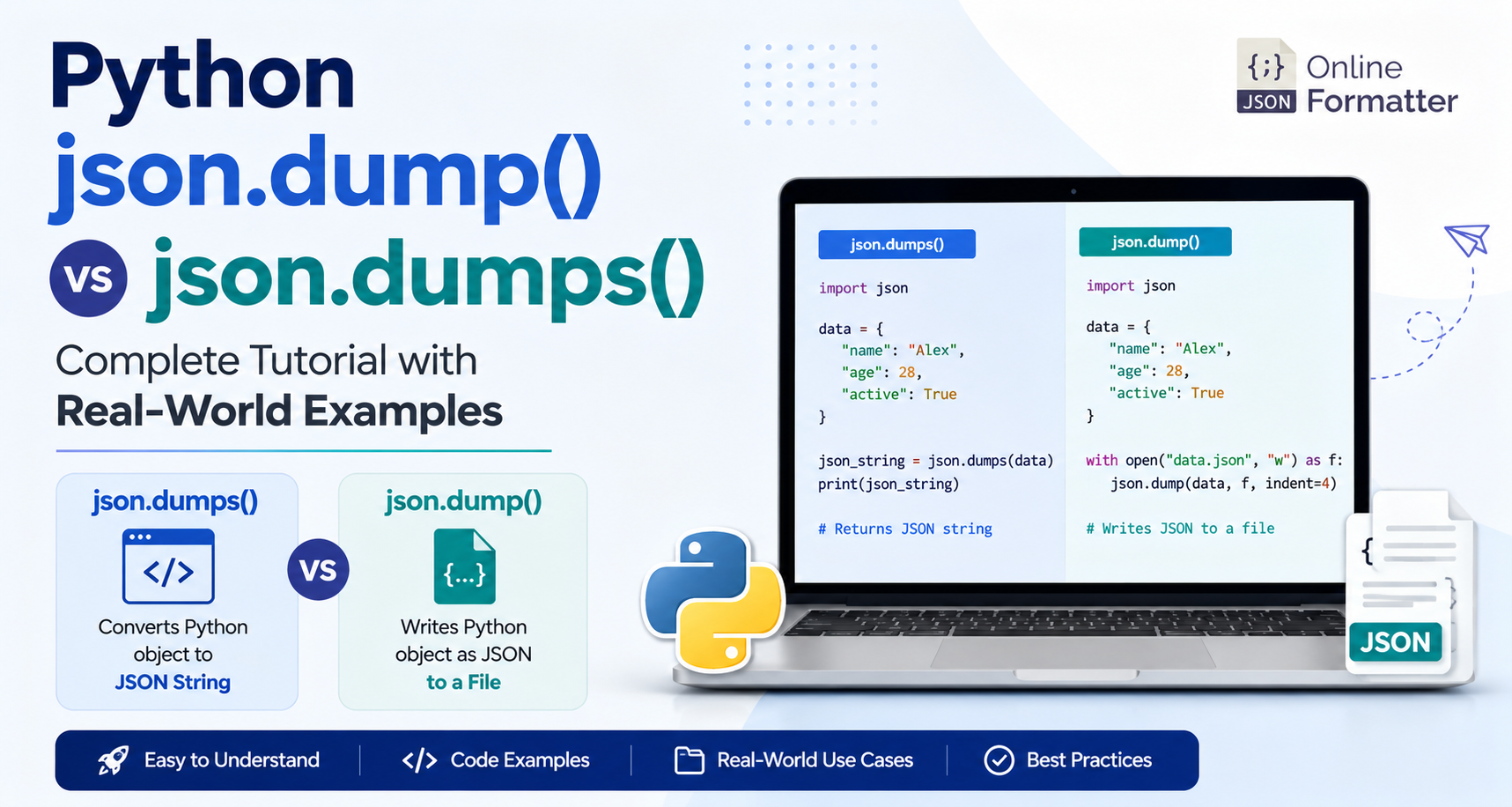
You’ve got a Python dictionary. You need to work with JSON. You open the docs, and suddenly you’re staring a…
Read more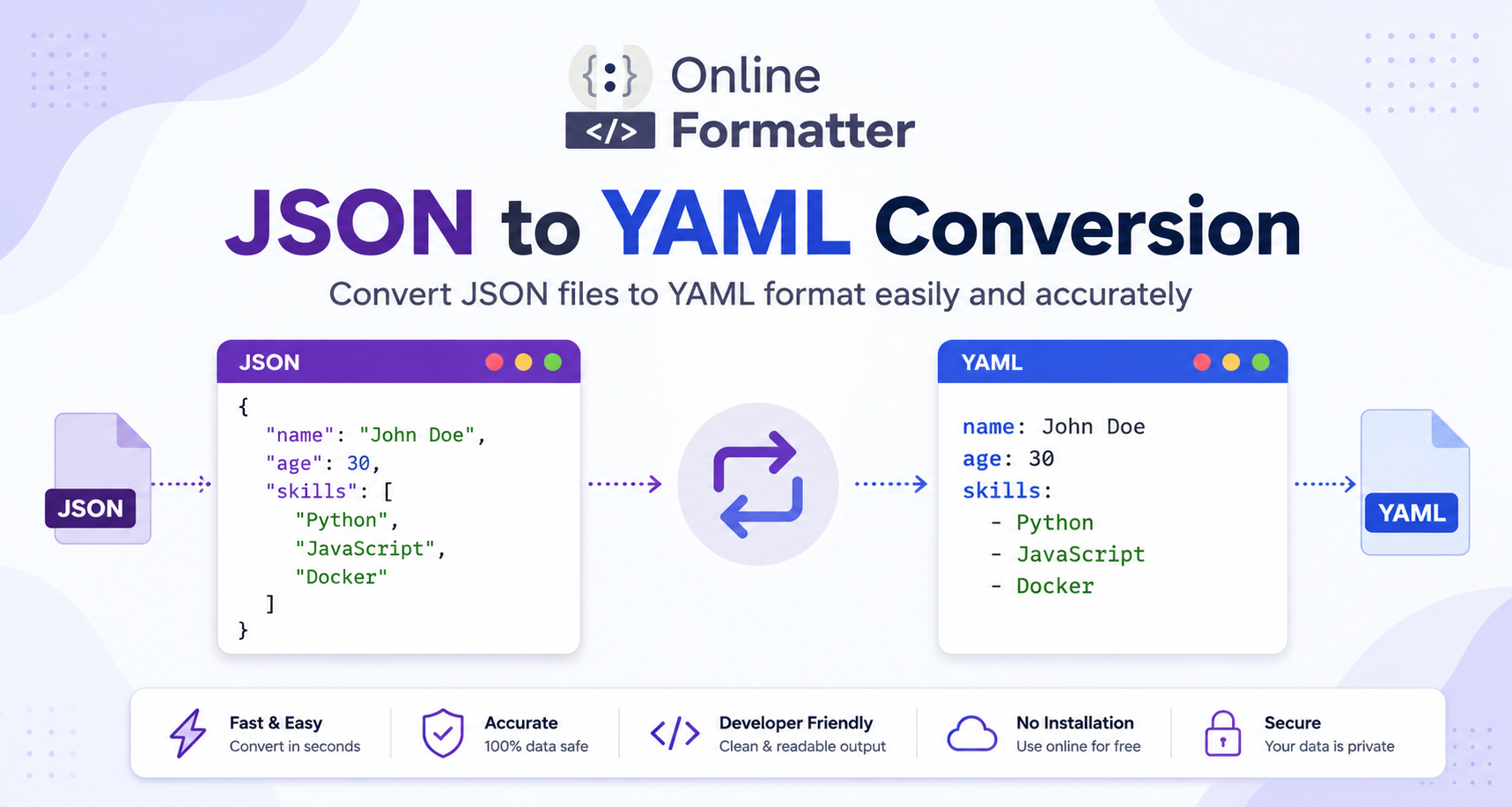
You have a JSON config file and CI/CD needs YAML. Or perhaps you’re deploying a cluster to Kubernetes and the reso…
Read more