
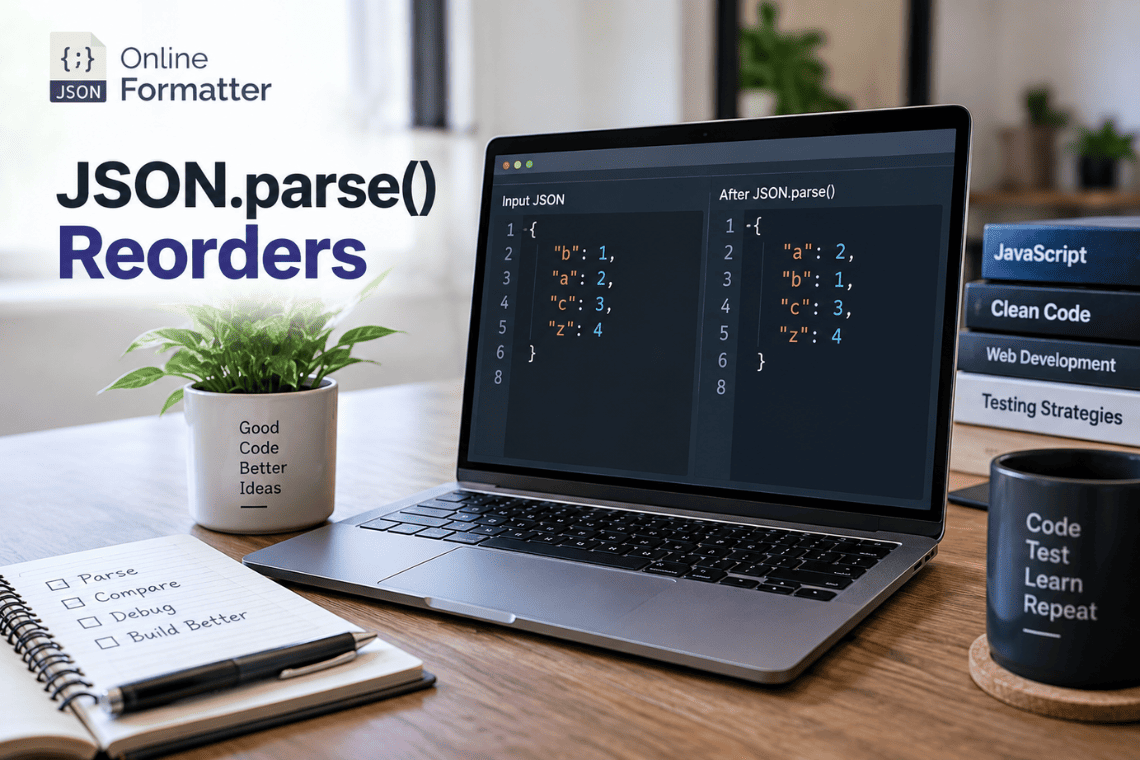

Here’s a bug that looks impossible the first time you see it. An API sends you this:
const json = '{"10":"ten","2":"two","x":"x"}';

const data = JSON.parse(json);

console.log(Object.keys(data));
// ["2", "10", "x"]
The response clearly had “10” first. After parsing, “2” comes first. Nothing threw an error, and no data was lost. The order just changed.
So does JSON.parse() reorder keys? Technically, no. JSON.parse() reads the keys in the order they appear in the text. But it creates a JavaScript object, and JavaScript objects follow their own rules for listing properties. Keys that look like whole numbers always come out first, in ascending order.
Most of the time you’ll never notice. But when your code treats key order as meaningful, this quietly breaks dropdowns, charts, text diffs, hashes and tests. This guide explains the exact rules, shows where they bite, and gives you tested fixes. Every example was run on Node.js 22, and the behavior is the same in all modern browsers.
Does JSON Actually Have a Key Order?
No. The JSON standard says an object’s key order has no meaning. RFC 8259 defines a JSON object as “an unordered collection of zero or more name/value pairs.” ECMA-404 goes further and says JSON “does not assign any significance to the ordering of name/value pairs.”
That’s easy to miss, because JSON text obviously has an order. When you write this:
{
  "10": "ten",
  "2": "two",
  "name": "Dev"
}
the characters sit in a fixed sequence on the page. But the format itself makes no promise that anyone reading it will keep that sequence.
A JavaScript object that looks identical is a different thing. JavaScript does define an order for listing object properties, and that order isn’t “the order you wrote them in.”
So you’re dealing with two separate layers. The JSON text has an order the standard ignores. The JavaScript object has an order defined by JavaScript’s rules. The surprise happens when you expect the first to carry over into the second.
What Does JSON.parse() Actually Do?
JSON.parse() doesn’t keep the original text around. It reads the string and builds a brand-new JavaScript value from it:
JSON string
    ↓
JSON.parse()
    ↓
JavaScript object
    ↓
JavaScript property-order rules apply
The parser does add properties in the order it reads them. You can see this if you pass a reviver function and log what it visits. But once the object exists, only the object’s own rules matter. Any later call to Object.keys(), for…in, Object.entries() or JSON.stringify() follows those rules, not the source text.
In other words, JSON.parse() isn’t doing anything wrong. It’s handing you a plain JavaScript object, and the reordering comes from how objects work.
The Three Property-Ordering Rules in JavaScript
Since ES2015, the spec has defined the order of an object’s own keys. Since ES2020, Object.keys(), for…in and JSON.stringify() are all required to follow it. The rules are simple.
Rule 1: Integer-like keys come first, in ascending numeric order
const obj = {
  "10": "a",
  "2": "b",
  "1": "c"
};

console.log(Object.keys(obj));
// ["1", "2", "10"]
“Integer-like” has a precise meaning here. The spec calls these array index keys: a string that is the canonical form of a whole number from 0 up to 4,294,967,294. That detail matters more than you’d expect, and I’ll come back to it in the edge cases.
Rule 2: All other string keys keep insertion order
const user = {
  name: "Dev",
  role: "Developer",
  company: "EncodeDots"
};

console.log(Object.keys(user));
// ["name", "role", "company"]
For ordinary names like these, what goes in first comes out first. This is why most developers never hit the problem. Their keys are words, and words keep their place.
Rule 3: Symbol keys come last
Symbol-keyed properties are listed after all string keys, in insertion order. You’ll only see them with Reflect.ownKeys(), though. Object.keys() skips them, and JSON.stringify() drops them completely:
const id = Symbol("id");
const obj = { b: 1, [id]: 2, 2: 3, a: 4 };

console.log(Reflect.ownKeys(obj)); // ["2", "b", "a", Symbol(id)]
console.log(Object.keys(obj));     // ["2", "b", "a"]
console.log(JSON.stringify(obj));  // {"2":3,"b":1,"a":4}
Since JSON can’t hold symbols, they never come out of JSON.parse(). For JSON work, rules 1 and 2 are all you need.
The Most Important Example: “2” vs “10”
Put both rules together and the “reordering” becomes predictable:
const json = '{"10":"a","2":"b","1":"c","name":"Dev"}';

const parsed = JSON.parse(json);

console.log(Object.keys(parsed));
// ["1", "2", "10", "name"]
The source order was 10, 2, 1, name. JavaScript pulled out the three integer-like keys and sorted them numerically, which gives 1, 2, 10. Then it listed the remaining string key, name, in its original position among the other strings.
Notice it’s a numeric sort, not an alphabetical one. Alphabetically, “10” would come before “2”. JavaScript puts 2 first because 2 is less than 10.
This isn’t random, and it doesn’t vary between runs or engines. Given the same keys, you’ll get the same order in Chrome, Firefox, Safari and Node.js every time.
Why This Usually Doesn’t Matter
Before this turns into “JSON.parse() is broken,” it’s worth saying clearly: for most JSON, nothing changes.
{
  "name": "John",
  "email": "[email protected]",
  "role": "admin"
}
None of these keys look like integers, so they come out in exactly the order they went in. The same is true for most API responses, config files and database records.
The problem shows up in a narrow set of cases. It happens when keys are numeric IDs, years, status codes or positions, and the code relies on the order in which those keys come out. That usually looks like rendering a list from Object.keys(), comparing serialized strings, hashing JSON output, or committing generated JSON to a repo.
If your code never depends on key order, you can stop worrying. If it does, keep reading.
How Key Order Can Silently Break UIs
Imagine a leaderboard API. The backend is written in Python or PHP, where dictionaries and associative arrays keep insertion order. It builds the response in ranking order, keyed by user ID:
{
  "5012": "Asha",
  "117": "Ben",
  "2290": "Chen"
}
On the backend, this is “first place, second place, third place.” Then the frontend renders it:
const leaders = JSON.parse(responseText);

const rows = Object.keys(leaders).map((id, i) => `${i + 1}. ${leaders[id]}`);
console.log(rows);
// ["1. Ben", "2. Chen", "3. Asha"]
Ben is now first because his ID is the smallest. No error, no warning, and the list looks perfectly reasonable. That’s why this bug often reaches production.
The same pattern catches chart data keyed by year. An API sends {“2024”: 91, “2023”: 78, “2022”: 64} newest-first, and the chart quietly flips to oldest-first. It also affects dropdowns built from option IDs, table columns keyed by field numbers, and dynamic form steps keyed by “1”, “2” and “10”.
To be fair, the UI isn’t really broken by JavaScript here. It breaks because the data used an object to carry an order, and objects were never a safe place for that. The fix is in the data shape, which we’ll get to shortly.
How Key Order Breaks JSON Diffs
These two objects hold the same data:
{ "name": "Dev", "role": "Developer" }{ "role": "Developer", "name": "Dev" }A JSON-aware comparison says they’re equal. A text diff, like the one in your pull request, says every line changed.
Key reordering makes this worse whenever a tool reads JSON, changes something, and writes it back. Take a translations file keyed by HTTP status codes:
const before = `{
  "404": "Not found",
  "200": "OK",
  "500": "Server error"
}`;

console.log(JSON.stringify(JSON.parse(before), null, 2));
// {
//   "200": "OK",
//   "404": "Not found",
//   "500": "Server error"
// }
A script that only meant to update one message now rewrites the order of the whole file. In a file with hundreds of numeric keys, the one real change gets buried in a diff that touches almost every line. Reviewers either miss the real change or waste time checking noise.
The key idea is the difference between textual equality (same characters) and semantic equality (same data). Git and most code review tools only know about the first.
How Key Order Breaks Tests
Snapshot tests
You might expect key order to make Jest snapshots flaky. For objects, it usually doesn’t. Jest’s snapshot serializer, pretty-format, sorts object keys before writing the snapshot. Vitest uses the same serializer. I checked this directly: {b:1, a:2, “10”:3, “2”:4} is written with keys in sorted order no matter how the object was built.
The problem appears when you snapshot a string instead of an object:
expect(JSON.stringify(result)).toMatchSnapshot(); // order-sensitive
expect(result).toMatchSnapshot();                 // keys sorted by the serializer
The first line bakes the current key order into the snapshot. If a refactor changes the order in which properties get added, the test fails even though the data is identical.
String comparison
This pattern shows up in a lot of test suites:
expect(JSON.stringify(a)).toBe(JSON.stringify(b)); // fragileIt fails whenever two equal objects were built in a different order. Use a deep equality check instead. Jest’s toEqual() and Node’s assert.deepStrictEqual() both ignore key order:
const assert = require("node:assert/strict");

const x = JSON.parse('{"name":"Dev","role":"Developer"}');
const y = JSON.parse('{"role":"Developer","name":"Dev"}');

console.log(JSON.stringify(x) === JSON.stringify(y)); // false
assert.deepStrictEqual(x, y);                         // passes
JSON.stringify() Makes This More Confusing
Many developers assume that parsing and then stringifying gives back the original JSON. It doesn’t:
const input = '{"10":"a","2":"b","name":"Dev"}';

const output = JSON.stringify(JSON.parse(input));

console.log(output);
// {"2":"b","10":"a","name":"Dev"}
The data is the same, but the text is different. Whitespace, key order, and details like 1.0 becoming 1 or \u0041 becoming A all get lost along the way.
This is the most useful thing to take away from the whole article: parsing and stringifying is not a way to preserve source text. If you need the exact original bytes, for a signature check or an audit log, keep the original string. Don’t rebuild it from the parsed object.
Does JSON.stringify() Guarantee the Original Order?
JSON.stringify() doesn’t shuffle anything, and it isn’t random. Since ES2020, it’s required to use the same order as Object.keys(). So it guarantees the object’s order, which is often not the same as the original text’s order.
Here’s what that means in practice. String keys come out in insertion order. Integer-like keys come out first, in ascending order. Symbol keys are skipped. And because the order depends on insertion, two objects with the same data can stringify differently if their properties were added in a different sequence.
That last point catches people. If one service builds { id, name } and another builds { name, id }, their JSON.stringify() output won’t match, even though neither did anything wrong. Treat the order of stringified output as an implementation detail, not something you can rely on.
When You Actually Need Ordered Data
If order matters, put it in an array. Arrays are the only JSON structure whose order is part of the data itself.
Instead of this:
{
  "1": "First",
  "2": "Second",
  "3": "Third"
}
use this:
["First", "Second", "Third"]Every JSON parser, in every language, keeps array order. There’s no rule about integer-like keys to remember, and nobody reading the data has to guess whether the order is intentional.
Use Arrays of Objects for Ordered Key-Value Data
Often you need both: an order, and a key or ID for each item. An array of objects handles that:
const leaders = [
  { id: "5012", name: "Asha" },
  { id: "117", name: "Ben" },
  { id: "2290", name: "Chen" }
];

console.log(leaders.map((u, i) => `${i + 1}. ${u.name}`));
// ["1. Asha", "2. Ben", "3. Chen"]
This fixes the leaderboard from earlier, and it’s easy to extend. You can add a rank, a label or any other field to each item without changing the structure. If you also need fast lookups by ID, build an index on the client:
const byId = new Map(leaders.map(u => [u.id, u]));
console.log(byId.get("117").name); // "Ben"
The array carries the order, and the lookup is built from it.
When to Use Map Instead of Object
Inside JavaScript, Map keeps every key in insertion order, including keys that look like numbers:
const map = new Map();

map.set("10", "a");
map.set("2", "b");
map.set("1", "c");

console.log([...map.keys()]); // ["10", "2", "1"]
The catch is that JSON has no Map type. Stringifying a Map gives you an empty object:
console.log(JSON.stringify(map)); // {}A common “fix” is Object.fromEntries(map), but that turns the Map back into an object, and the integer-like keys get sorted again. Send the entries as an array of pairs instead:
const wire = JSON.stringify([...map]);
console.log(wire); // [["10","a"],["2","b"],["1","c"]]

const restored = new Map(JSON.parse(wire));
console.log([...restored.keys()]); // ["10", "2", "1"]
Use a Map in your application code when you need ordered keys, and convert it to arrays at the edges where data goes over the wire.
How to Compare JSON Objects Correctly
Before you pick a comparison method, decide what “equal” means in your case. There are three different questions you might be asking.
Is it the same data (semantic equality)? Use a deep comparison that ignores key order but respects array order. Is it the same text (exact serialized equality)? Compare strings, but only when the text itself matters, such as a signed payload. Is it the same data in the same order? Compare the key lists explicitly, and ask yourself whether that should really be an array.
For the most common case, same data, here’s a small comparison that works on any JSON-parsed value:
function jsonEqual(a, b) {
  if (a === b) return true;
  if (typeof a !== "object" || typeof b !== "object" || a === null || b === null) return false;
  if (Array.isArray(a) !== Array.isArray(b)) return false;

  if (Array.isArray(a)) {
    return a.length === b.length && a.every((v, i) => jsonEqual(v, b[i]));
  }

  const keysA = Object.keys(a);
  const keysB = Object.keys(b);
  if (keysA.length !== keysB.length) return false;

  return keysA.every(k => Object.hasOwn(b, k) && jsonEqual(a[k], b[k]));
}

const x = JSON.parse('{"name":"Dev","tags":["a","b"]}');
const y = JSON.parse('{"tags":["a","b"],"name":"Dev"}');

console.log(jsonEqual(x, y));                       // true
console.log(jsonEqual(x, { ...y, tags: ["b", "a"] })); // false: array order counts
Key order is ignored and array order still counts, which matches what the JSON standard says each structure means. In tests, reach for toEqual() or assert.deepStrictEqual(). The function above is for runtime checks where you don’t want to add a dependency.
How to Make JSON Output Deterministic
Sometimes you really do need the same data to produce the same text every time. Cache keys, content hashes, signatures and generated files committed to git all need this. The usual approach is stable serialization: sort the keys at every level, then serialize.
Input object → sort keys at every level → serialize → same output every timeThere’s a trap here that’s easy to fall into. The obvious approach is to sort the keys into a new object and then stringify it:
function sortKeysNaive(obj) {
  return Object.fromEntries(
    Object.entries(obj).sort(([a], [b]) => a.localeCompare(b))
  );
}

console.log(JSON.stringify(sortKeysNaive({ b: 1, a: 2, "10": 3, "2": 4 })));
// {"2":4,"10":3,"a":2,"b":1}
It looks like it worked, but the new object applied rule 1 again. Integer-like keys jumped back to the front in numeric order, overriding your sort. It happens to give a consistent result, but not the sort order you asked for, and you’ll get different output from a system in another language that sorts properly.
The reliable approach builds the string directly, so no object gets a chance to reorder anything:
function stableStringify(value) {
  if (value === null || typeof value !== "object") return JSON.stringify(value);
  if (typeof value.toJSON === "function") return stableStringify(value.toJSON());

  const skip = v => v === undefined || typeof v === "function" || typeof v === "symbol";

  if (Array.isArray(value)) {
    return "[" + value.map(v => (skip(v) ? "null" : stableStringify(v))).join(",") + "]";
  }

  const parts = [];
  for (const key of Object.keys(value).sort()) {
    if (skip(value[key])) continue;
    parts.push(JSON.stringify(key) + ":" + stableStringify(value[key]));
  }
  return "{" + parts.join(",") + "}";
}

console.log(stableStringify({ b: 1, a: 2, "10": 3, "2": 4 }));
// {"10":3,"2":4,"a":2,"b":1}
This follows JSON.stringify()’s rules for undefined, functions and toJSON(), and it sorts keys by UTF-16 code units at every level. If you’re exchanging hashes or signatures with other systems, look at RFC 8785 (JSON Canonicalization Scheme). It also standardizes number formatting, which this function doesn’t. That’s a bigger topic, and it deserves its own article on canonical JSON.
Common Developer Mistakes
Most key-order bugs come from a handful of assumptions.
Treating key order as data. If the order of keys means something, like rank, priority or sequence, it belongs in an array. An object can’t carry that meaning reliably.
Using objects for ordered lists. Keys like “1”, “2” and “3” are an array pretending to be an object. They work until someone adds “10”, or until the backend starts sending them out of sequence.
Comparing JSON with JSON.stringify(). Two equal objects built in a different order produce different strings. Use deep equality unless you truly need the exact text.
Expecting JSON.parse() to keep the original text. It keeps the data, not the formatting, the key order or the number spelling. Save the raw string if you need it.
Using numeric-looking keys when order matters. Years, IDs and status codes are the usual culprits. If you must key them and keep order, use an array of objects or a Map.
Reading a text diff as a data diff. A PR that “changed” 400 lines of JSON may have changed one value. Before arguing about a diff like that, check whether the data changed or just the order.
Browser / Node.js Example
Paste this into your browser console, or save it as order.js and run it with node order.js. The output is the same in both. The last function flags objects in a JSON payload that contain integer-like keys, which are the ones most likely to surprise you.
const source = '{"leaders":{"5012":"Asha","117":"Ben"},"years":{"2024":91,"2023":78},"meta":{"page":1}}';

const parsed = JSON.parse(source);

console.log("leaders keys:", Object.keys(parsed.leaders)); // ["117", "5012"]
console.log("years keys:", Object.keys(parsed.years));     // ["2023", "2024"]
console.log("round trip:", JSON.stringify(parsed));
console.log("same text?", JSON.stringify(parsed) === source); // false

// Flag objects whose keys JavaScript will reorder
const isIndexKey = k => /^(0|[1-9]\d*)$/.test(k) && Number(k) < 4294967295;

function findNumericKeyObjects(jsonText) {
  const found = [];
  JSON.parse(jsonText, function (key, value) {
    if (value && typeof value === "object" && !Array.isArray(value)) {
      const keys = Object.keys(value);
      if (keys.length > 1 && keys.some(isIndexKey)) found.push(key || "(root)");
    }
    return value;
  });
  return found;
}

console.log("check these:", findNumericKeyObjects(source)); // ["leaders", "years"]
The checker can’t tell you what the original order was, because by the time the reviver runs, the object has already been built. What it tells you is where to look, and that’s usually enough. I’ve found it handy to run on sample responses when integrating a new API, before any rendering code gets written.
Want to see how your own payload changes after parsing? Paste it into our JSON Formatter to format it and inspect the structure before and after.
Edge Cases Worth Knowing
The “integer-like” rule has sharp edges. These all come from the tests I ran for this article:
- “01” is not integer-like. It isn’t the canonical form of 1, so it keeps insertion order.
- “-1” is not integer-like. Negative numbers aren’t array indices.
- “1.5” and “1e3” are not integer-like. Only whole numbers in plain decimal form count.
- ” 3″ with a space is not integer-like. Any extra character disqualifies it.
- “4294967295” is not integer-like, but “4294967294” is. The limit is 2³² − 2, the largest valid array index, so very large IDs behave like normal strings.
- Duplicate keys keep the first position and the last value. JSON.parse(‘{“b”:1,”a”:2,”b”:3}’) gives keys [“b”, “a”] with b equal to 3.
- “__proto__” becomes an ordinary own property. Unlike an object literal, JSON.parse() doesn’t change the prototype, so the key shows up in Object.keys().
- Deleting and re-adding a key moves it to the end. delete obj.a; obj.a = 1 puts a after every other string key.
- Spread and structuredClone() follow the same rules. Copying an object won’t restore an order the object never had.
- The reviver sees keys in object order. For {“z”:1,”5″:2,”a”:3}, it visits 5, z, a, and finally the root with an empty key.
Quick Reference: JSON Key Ordering Cheat Sheet
| Situation | What to use |
| Ordered list | Array |
| Ordered key-value pairs | Array of objects, or a Map in app code |
| Normal record data | Object |
| Stable serialized output | Stable or canonical serialization |
| Same data, any key order | Deep JSON comparison |
| Exact text must match | Keep and compare the original string |
FAQs
Does JSON.parse() preserve key order?
Partly. String keys keep the order they had in the JSON text. Integer-like keys, such as “2” or “10”, are always listed first in ascending numeric order. That comes from JavaScript’s object rules, not from the parser itself.
Why does JavaScript move numeric keys to the beginning?
The language spec defines it that way. Integer-like keys are treated as array indices, and indices are listed first in numeric order. This keeps objects consistent with arrays and lets engines store indexed properties efficiently.
Does JSON.stringify() preserve object key order?
It preserves the object’s order, which is the same order Object.keys() returns. It doesn’t preserve the order of the JSON text you originally parsed if that text had integer-like keys out of sequence.
Can JSON objects be ordered?
JSON text always has a sequence, but the standard gives it no meaning. RFC 8259 calls objects unordered collections. If order is part of your data, use an array.
How do I preserve JSON key order?
Don’t rely on objects for it. Use an array, or an array of { key, value } objects. Inside JavaScript, a Map keeps insertion order for all keys, but converts it to an array of pairs before sending it as JSON.
Should I use an array instead of an object?
Use an array whenever the sequence matters, like rankings, steps, timelines or menu items. Use an object when you look things up by name and the order doesn’t matter.
Is JSON.stringify() safe for comparing JSON objects?
Not for checking whether the data is equal. Two equal objects built in a different order produce different strings. Use assert.deepStrictEqual(), Jest’s toEqual(), or a deep comparison function. Only compare strings when the exact text matters.
Practical Conclusion
JSON.parse() isn’t reordering your keys at random. It builds a JavaScript object, and JavaScript lists integer-like keys first in numeric order, with all other keys in insertion order. Once you know that rule, the “bug” becomes predictable.
The lasting fix is to stop using object key order as data. If order matters, use an array or an array of objects. If you need to compare JSON, compare the structure, not the stringified text. And if you need identical output every time for hashes, caches or committed files, use stable serialization that builds the string directly.
Dealing with a payload right now? Paste two versions into our JSON Compare tool to see which differences are real data changes and which are only key order.
References: RFC 8259: The JSON Data Interchange Format · ECMA-404: The JSON Data Interchange Syntax · ECMAScript spec: OrdinaryOwnPropertyKeys · MDN: JSON.parse() · RFC 8785: JSON Canonicalization Scheme

