
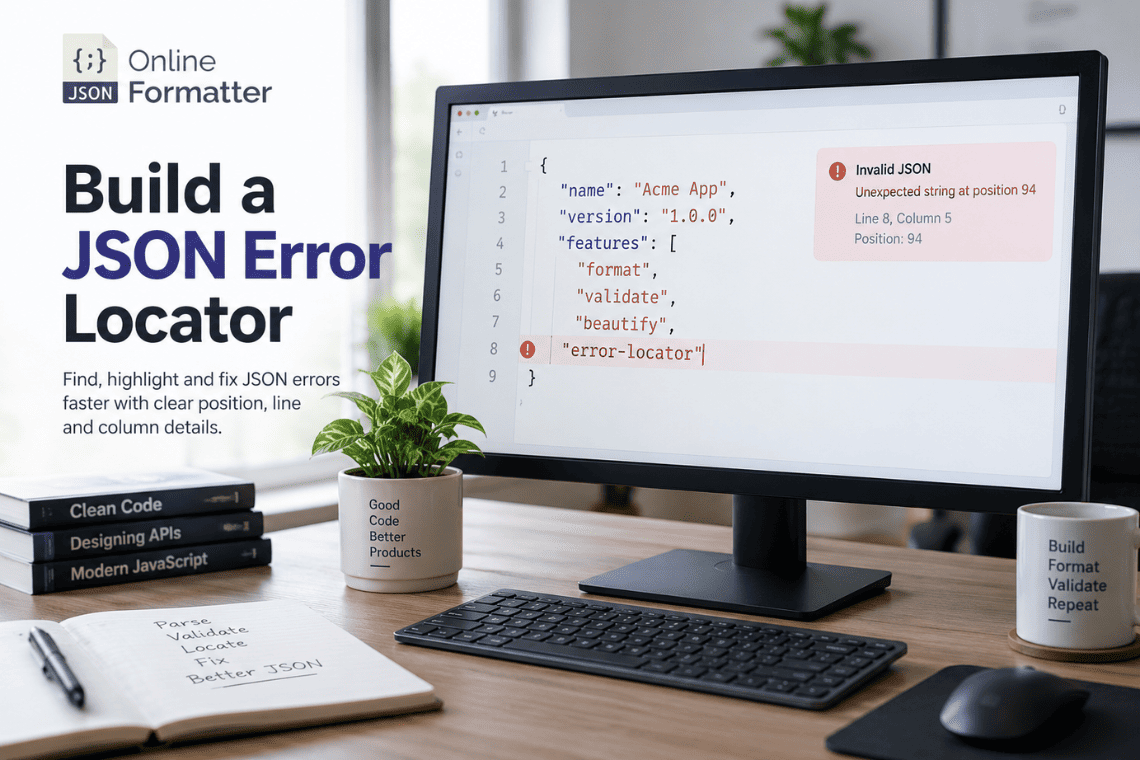

You call JSON.parse() on an API response, and the console hands you this:
SyntaxError: Expected double-quoted property name in JSON at position 94
Position 94. Not a line. Not a column. Just a number. Your editor shows lines and columns, your logs show a single-line blob, and nothing tells you which character is actually wrong.
In this guide, you’ll build a JSON error locator in plain JavaScript that turns a raw position into a line number, a column, the exact broken character, a readable code frame, and a likely root cause. Every code example below was run and tested on Node.js 22.
What Does “Position 94” Mean?
“Position 94” is the zero-based index of the character where the JSON parser gave up. It counts every character from the start of the string, including spaces, tabs and line breaks. Position 0 is the first character.
Here’s a payload that fails at exactly position 94:
const payload = `{
  "orderId": "A-1042",
  "customer": {
    "name": "Priya S",
    "email": "[email protected]",
  },
  "total": 49.99
}`;

try {
  JSON.parse(payload);
} catch (err) {
  console.log(err.message);
  // Expected double-quoted property name in JSON at position 94 (line 6 column 3)
}
Character 94 is the } on line 6. The parser expected another property name after the comma on line 5, but found a closing brace instead.
In short: the position tells you where the parser stopped, measured as a character offset from the start of the input.
Why JSON Errors Are Hard to Debug
JSON errors are frustrating for three practical reasons.
First, real JSON rarely looks like the example above. API responses, webhook bodies and log entries are usually minified onto a single line. A position of 38,211 inside a 60 KB string is not something you can eyeball.
Second, error messages differ by runtime. Chrome, Firefox, Safari and Node.js all word their errors differently, and some don’t include a position at all.
Third, the reported position is often not the real mistake. In the example above, the parser complains about the }, but the actual bug is the trailing comma one line earlier. Fixing the character at the reported position would make things worse.
A good error locator solves all three problems.
Position vs Line vs Column
These three terms describe the same location in different ways:
| Term | What it counts | Starts at | Who uses it |
| Position (offset) | Characters from the start of the string | 0 | JSON.parse() errors, String.prototype.slice() |
| Line | Line breaks before the character, plus one | 1 | Editors, stack traces, linters |
| Column | Characters since the last line break, plus one | 1 | Editors, code frames |
The conversion is simple: take everything before the position, count the line breaks to get the line, and measure the text after the last line break to get the column.
Build a Basic JSON Error Locator
Let’s build the core conversion step by step, then combine it into one function.
Extract Text Before the Error
Everything you need lives in the slice of text before the error position:
const position = 94;
const before = payload.slice(0, position);

console.log(JSON.stringify(before.slice(-30)));
// "\"[email protected]\",\n  },\n  "
Wait, that last output is wrong on purpose? No. Look closely: the slice ends just before }, so the final characters are the newline and two spaces of indentation on line 6.
Calculate Line
Split the “before” text on line breaks. The number of pieces is the line number:
const lines = before.split(/\r\n|\r|\n/);
const line = lines.length; // 6
The regex matters. Splitting only on \n works for Unix files but breaks subtly on Windows files (\r\n) and very old Mac files (\r). We’ll come back to this in the edge cases.
Calculate Column
The column is the length of the last piece, plus one (because columns start at 1):
const column = lines[lines.length - 1].length + 1; // 3This matches what V8 reports in its (line 6 column 3) suffix.
Find the Broken Character
The broken character is simply text[position]. But printing it raw isn’t always helpful. A tab, a non-breaking space or a byte order mark is invisible in a terminal. So describe it with its Unicode code point:
function describeChar(ch) {
  if (ch === undefined) return 'end of input';
  const code = ch.codePointAt(0);
  const hex = 'U+' + code.toString(16).toUpperCase().padStart(4, '0');
  const names = {
    0x0a: 'line feed', 0x0d: 'carriage return', 0x09: 'tab',
    0x20: 'space', 0xfeff: 'byte order mark', 0xa0: 'non-breaking space',
    0x201c: 'left smart quote', 0x201d: 'right smart quote',
  };
  return names[code] ? `${names[code]} (${hex})` : `'${ch}' (${hex})`;
}

console.log(describeChar(payload[94])); // '}' (U+007D)
console.log(describeChar('\u00a0'));    // non-breaking space (U+00A0)
If the position equals the string’s length, there is no character. The parser ran out of input, which usually means truncated data.
Here’s the combined function, which we’ll reuse throughout:
function getLineColumn(text, position) {
  const pos = Math.max(0, Math.min(position, text.length));
  const lines = text.slice(0, pos).split(/\r\n|\r|\n/);
  const lastLine = lines[lines.length - 1];
  return {
    line: lines.length,
    column: lastLine.length + 1,                   // UTF-16 units (matches V8)
    visualColumn: Array.from(lastLine).length + 1, // code points (closer to editors)
  };
}
The visualColumn field is explained in the Unicode section. For now, notice that the function clamps the position so a bad input never throws.
Extract Position From JSON.parse()
JSON.parse() does not expose the position as a property. It only appears inside error.message, so you have to parse the message itself.
Since formats vary between engines, match several patterns:
function extractPosition(error, text) {
  const msg = String(error?.message || '');

  // V8 (Chrome, Edge, Node.js, Deno): "... at position 94"
  let m = msg.match(/at position (\d+)/);
  if (m) return { position: Number(m[1]), source: 'engine' };

  // Firefox: "... at line 6 column 3 of the JSON data"
  m = msg.match(/line (\d+) column (\d+)/);
  if (m) return { position: lineColumnToPosition(text, +m[1], +m[2]), source: 'engine' };

  // Empty or truncated input
  if (/Unexpected end of JSON input|end of data/i.test(msg)) {
    return { position: text.length, source: 'engine' };
  }

  return null; // no position in the message
}

function lineColumnToPosition(text, line, column) {
  let pos = 0;
  for (let l = 1; l < line; l++) {
    const next = text.slice(pos).search(/\r\n|\r|\n/);
    if (next === -1) return text.length;
    pos += next + (text.startsWith('\r\n', pos + next) ? 2 : 1);
  }
  return Math.min(pos + column - 1, text.length);
}
Converting Firefox’s line and column back into a position means the rest of your locator only has to deal with one format. That’s a small design decision that saves a lot of branching later.
Build a Code Frame
A code frame shows the broken line with a few lines of context and a caret (^) under the bad character. It’s the same format Babel, ESLint and TypeScript use, because it’s the fastest way for a human to spot a problem.
function codeFrame(text, line, column, context = 2) {
  const lines = text.split(/\r\n|\r|\n/);
  const start = Math.max(1, line - context);
  const end = Math.min(lines.length, line + context);
  const width = String(end).length;
  const out = [];

  for (let n = start; n <= end; n++) {
    const marker = n === line ? '>' : ' ';
    out.push(`${marker} ${String(n).padStart(width)} | ${lines[n - 1]}`);
    if (n === line) {
      out.push(`  ${' '.repeat(width)} | ${' '.repeat(Math.max(0, column - 1))}^`);
    }
  }
  return out.join('\n');
}

console.log(codeFrame(payload, 6, 3));
Output:
  4 |     "name": "Priya S",
  5 |     "email": "[email protected]",
> 6 |   },
    |   ^
  7 |   "total": 49.99
  8 | }
Now “position 94” becomes something you can fix in two seconds.
Handle Minified JSON
A code frame is useless for minified JSON. If the whole payload is one line, “line 1, column 38,212” puts you right back where you started.
For minified JSON, show a fixed-width window around the position instead of the whole line:
function snippetAround(text, position, radius = 30) {
  const start = Math.max(0, position - radius);
  const end = Math.min(text.length, position + radius);
  const prefix = start > 0 ? '…' : '';
  const suffix = end < text.length ? '…' : '';
  const snippet = prefix + text.slice(start, end).replace(/[\r\n\t]/g, ' ') + suffix;
  return `${snippet}\n${' '.repeat(prefix.length + position - start)}^`;
}

const items = Array.from({ length: 30 }, (_, i) => ({ id: i, name: 'item' + i }));
const minified = JSON.stringify({ items }).replace('"id":17,', '"id":17,,');

try { JSON.parse(minified); } catch (e) {
  const { position } = extractPosition(e, minified);
  console.log(snippetAround(minified, position));
}
Output:
…:16,"name":"item16"},{"id":17,,"name":"item17"},{"id":18,"n…
                               ^
Replacing tabs and newlines with spaces keeps the caret aligned. This matters when you’re printing into a log aggregator that doesn’t render control characters.
Scenario: a payment provider’s webhook fails validation in production. The raw body is 40 KB on one line. A code frame would print a wall of text; a 60-character window points straight at the double comma a buggy serializer produced.
Why Error Position Isn’t Always Root Cause
The parser reports where it noticed the problem, not where the problem started. A JSON parser reads left to right and only fails when the next character can’t legally appear. The actual mistake is often one or more characters earlier.
Common patterns:
| Reported character | Real cause | Where to look |
| } or ] after a comma | Trailing comma | The comma before it |
| ” after a value | Missing comma | Just before the quote |
| End of input | Truncated data or missing bracket | Anywhere before |
| ‘ | Single-quoted strings | The quote itself |
| < at position 0 | Server returned HTML | Your network layer, not the JSON |
You can encode these patterns as hints by looking at the previous non-whitespace character:
function suggestCause(text, position) {
  const ch = text[position];
  let j = position - 1;
  while (j >= 0 && /\s/.test(text[j])) j--;
  const prev = text[j];

  if (ch === undefined) return 'Input ends early. Look for a missing closing bracket, brace or quote, or a truncated response.';
  if (position === 0 && text.charCodeAt(0) === 0xfeff) return 'The text starts with a byte order mark. Strip it before parsing.';
  if (prev === ',' && (ch === '}' || ch === ']')) return 'Trailing comma. Remove the comma before this bracket.';
  if (ch === "'") return 'Single quotes are not valid in JSON. Use double quotes.';
  if (ch === '\u201c' || ch === '\u201d') return 'Smart quotes, probably pasted from a document or chat app. Replace with straight double quotes.';
  if (ch === '"' && (prev === '"' || prev === '}' || prev === ']' || /\w/.test(prev))) return 'Missing comma between two values.';
  if (ch === '/' && (text[position + 1] === '/' || text[position + 1] === '*')) return 'Comments are not allowed in JSON.';
  if (/[A-Za-z_$]/.test(ch) && (prev === '{' || prev === ',')) return 'Unquoted property name. Wrap keys in double quotes.';
  if (ch === '<') return 'Looks like HTML. The server probably returned an error page instead of JSON.';
  return null;
}
Scenario: your frontend shows “Unexpected token ‘<‘” after a deploy. The hint immediately tells you the API gateway returned a 502 Bad Gateway HTML page. You stop staring at JSON and check the proxy logs instead.
Scenario: a product manager pastes a config snippet from a shared doc into your admin panel. It fails at position 1. The locator reports left smart quote (U+201C), which explains a bug that looks completely invisible on screen.
Browser and Runtime Differences
Each JavaScript engine formats JSON.parse() errors differently, and your locator must not depend on one format.
| Engine | Used by | Typical message format |
| V8 (current) | Chrome, Edge, Node.js 20+, Deno | … in JSON at position 94 (line 6 column 3) |
| V8 (older) | Node.js 18 and earlier, older Chrome | Unexpected token } in JSON at position 94 |
| SpiderMonkey | Firefox | JSON.parse: … at line 6 column 3 of the JSON data |
| JavaScriptCore | Safari, Bun | JSON Parse error: … (usually no position) |
Two details surprised me while testing on Node.js 22. Even modern V8 omits the position for some errors. These inputs all produce messages with no position at all:
for (const s of ['[1,2,]', '{"a":NaN}', '\uFEFF{}']) {
  try { JSON.parse(s); } catch (e) { console.log(e.message); }
}
// Unexpected token ']', "[1,2,]" is not valid JSON
// Unexpected token 'N', "{"a":NaN}" is not valid JSON
// Unexpected token '', "{}" is not valid JSON
A trailing comma in an array is one of the most common JSON mistakes, and V8 won’t give you a position for it. Regex extraction alone is not enough.
Build a Robust Error Locator
The fix is a fallback scanner: a small validator that walks the JSON grammar from RFC 8259 and returns the offset of the first invalid character. It only runs when the engine message has no position, so its performance rarely matters.
function scanForError(text) {
  let i = 0;
  const fail = (reason) => { throw { position: i, reason }; };
  const ws = () => { while (i < text.length && ' \t\n\r'.includes(text[i])) i++; };
  const lit = (word) => { if (text.startsWith(word, i)) i += word.length; else fail('invalid literal'); };

  function str() {
    i++; // skip opening quote
    while (i < text.length) {
      const c = text[i];
      if (c === '"') { i++; return; }
      if (c.charCodeAt(0) < 0x20) fail('unescaped control character in string');
      if (c === '\\') {
        i++;
        if (text[i] !== undefined && '"\\/bfnrt'.includes(text[i])) { i++; continue; }
        if (text[i] === 'u' && /^[0-9a-fA-F]{4}$/.test(text.slice(i + 1, i + 5))) { i += 5; continue; }
        fail('bad escape sequence');
      }
      i++;
    }
    fail('unterminated string');
  }

  function num() {
    const m = /^-?(0|[1-9]\d*)(\.\d+)?([eE][+-]?\d+)?/.exec(text.slice(i));
    if (!m) fail('invalid number');
    i += m[0].length;
  }

  function value() {
    ws();
    const c = text[i];
    if (c === '{') return obj();
    if (c === '[') return arr();
    if (c === '"') return str();
    if (c === '-' || (c >= '0' && c <= '9')) return num();
    if (c === 't') return lit('true');
    if (c === 'f') return lit('false');
    if (c === 'n') return lit('null');
    fail(c === undefined ? 'unexpected end of input' : 'unexpected token');
  }

  function obj() {
    i++; ws();
    if (text[i] === '}') { i++; return; }
    for (;;) {
      ws();
      if (text[i] !== '"') fail('expected double-quoted property name');
      str(); ws();
      if (text[i] !== ':') fail("expected ':' after property name");
      i++; value(); ws();
      if (text[i] === ',') { i++; continue; }
      if (text[i] === '}') { i++; return; }
      fail("expected ',' or '}'");
    }
  }

  function arr() {
    i++; ws();
    if (text[i] === ']') { i++; return; }
    for (;;) {
      value(); ws();
      if (text[i] === ',') { i++; continue; }
      if (text[i] === ']') { i++; return; }
      fail("expected ',' or ']'");
    }
  }

  try {
    value(); ws();
    if (i < text.length) fail('unexpected content after JSON');
    return null; // valid
  } catch (e) {
    if (typeof e?.position === 'number') return e;
    throw e;
  }
}
I checked this scanner against V8 on 13 broken inputs. For every input where V8 reports a position, the scanner reports the same one. For the three where V8 reports nothing, the scanner still finds the offending character.
The scanner is recursive, so extremely deep nesting (tens of thousands of levels) could overflow the stack. That’s an acceptable trade-off for a debugging tool, but worth knowing.
Edge Cases
These are the cases that break naive locators. Each one is covered by the implementation in this article.
| # | Edge case | What happens | How the locator handles it |
| 1 | Empty string | “Unexpected end of JSON input” | Position = 0, character = end of input |
| 2 | Whitespace only | Same message | Position = text length |
| 3 | Truncated response | Error at the last offset | Hint suggests missing brackets or truncation |
| 4 | Byte order mark (BOM) | No position from V8 | Scanner returns 0, hint says strip it |
| 5 | Windows line endings (\r\n) | Naive \n split leaves \r in lines | Regex split treats \r\n as one break |
| 6 | Array trailing comma | No position from V8 | Scanner finds it |
| 7 | NaN, Infinity, undefined | Not valid JSON literals | Scanner flags the first letter |
| 8 | Leading zeros (01) | Invalid number | Error lands on the second digit |
| 9 | Raw newline inside a string | “Bad control character” | Character reported as line feed (U+000A) |
| 10 | Content after valid JSON | {“a”:1}} fails at the extra } | Reported as unexpected content |
Scenario: a teammate on Windows edits config.json and your Linux CI job fails at “line 3”. A locator that splits only on \n would still get the line right but include a stray \r in the code frame, which some terminals render as a cursor jump that garbles the output. Splitting on /\r\n|\r|\n/ avoids that entirely.
Scenario: a CSV-to-JSON export from a spreadsheet tool starts with a BOM. The file looks perfect in every editor, but JSON.parse() fails at the very first character. The fix is one line: text.replace(/^\uFEFF/, ”).
Unicode Position Gotchas
JavaScript string positions count UTF-16 code units, not visible characters. Most characters use one code unit. Emoji and many rare symbols use two (a surrogate pair). Combined characters like flags or family emoji can use many more.
That means the engine’s column can disagree with what you see:
const text = '{"e":"😀", x}';
try { JSON.parse(text); } catch (e) { console.log(e.message); }
// Expected double-quoted property name in JSON at position 11 (line 1 column 12)

console.log(getLineColumn(text, 11));
// { line: 1, column: 12, visualColumn: 11 }
The emoji counts as two units, so V8 says column 12. A human counting characters says column 11. That’s why getLineColumn() returns both.
Which one should you use?
- Use column when you need to match engine messages or use the value with slice() and substring().
- Use visualColumn for caret placement and for jumping to a location in most editors.
Array.from() splits by code point, which fixes emoji but not grapheme clusters like 👨👩👧. If you need perfect visual accuracy, use Intl.Segmenter with granularity: ‘grapheme’, which is available in modern browsers and Node.js.
Scenario: a user profile API returns bios full of emoji. Your error log says column 212, but the caret in your admin tool lands six characters too far right. The mismatch is surrogate pairs, not a bug in your data.
Complete JSON Error Locator Implementation
Here is the main function that ties everything together. It uses getLineColumn, describeChar, extractPosition, lineColumnToPosition, scanForError, suggestCause, codeFrame and snippetAround from the sections above. Put them all in one file, json-error-locator.js.
function locateJsonError(input, options = {}) {
  const text = typeof input === 'string' ? input : String(input);

  try {
    JSON.parse(text);
    return { valid: true };
  } catch (error) {
    let found = extractPosition(error, text);
    let message = error.message;

    if (!found) {
      const scanned = scanForError(text);
      found = scanned
        ? { position: scanned.position, source: 'scanner' }
        : { position: 0, source: 'unknown' };
      if (scanned) message = `${error.message} (scanner: ${scanned.reason})`;
    }

    const { position } = found;
    const { line, column, visualColumn } = getLineColumn(text, position);
    const isMinified = !/\r|\n/.test(text) && text.length > 200;

    return {
      valid: false,
      message,
      position,
      positionSource: found.source,
      line,
      column,
      visualColumn,
      character: describeChar(text[position]),
      hint: suggestCause(text, position),
      frame: isMinified
        ? snippetAround(text, position, options.radius)
        : codeFrame(text, line, visualColumn, options.context),
    };
  }
}

if (typeof module !== 'undefined') {
  module.exports = { locateJsonError, getLineColumn, extractPosition, scanForError };
}
Running it on the original position-94 payload returns:
{
  valid: false,
  message: 'Expected double-quoted property name in JSON at position 94 (line 6 column 3)',
  position: 94,
  positionSource: 'engine',
  line: 6,
  column: 3,
  visualColumn: 3,
  character: "'}' (U+007D)",
  hint: 'Trailing comma. Remove the comma before this bracket.',
  frame: '...'
}
The positionSource field is small but useful. It tells you whether to trust the engine or your own scanner, which helps when you’re comparing results across browsers.
Test the Error Locator
Use Node’s built-in test runner, so there are no dependencies to install:
// json-error-locator.test.js
const test = require('node:test');
const assert = require('node:assert/strict');
const { locateJsonError } = require('./json-error-locator');

test('valid JSON returns valid: true', () => {
  assert.deepEqual(locateJsonError('{"ok":true}'), { valid: true });
});

test('trailing comma in nested object', () => {
  const r = locateJsonError('{\n  "user": {\n    "id": 7,\n  }\n}');
  assert.equal(r.line, 4);
  assert.equal(r.column, 3);
  assert.match(r.hint, /Trailing comma/);
});

test('trailing comma in array falls back to scanner', () => {
  const r = locateJsonError('[1,2,]');
  assert.equal(r.position, 5);
  assert.equal(r.positionSource, 'scanner');
});

test('truncated input points past the last character', () => {
  const r = locateJsonError('{"a":1');
  assert.equal(r.position, 6);
  assert.equal(r.character, 'end of input');
});

test('CRLF line endings count as one line break', () => {
  const r = locateJsonError('{\r\n  "a": 1\r\n  "b": 2\r\n}');
  assert.equal(r.line, 3);
  assert.equal(r.column, 3);
});

test('emoji shifts the engine column but not the visual column', () => {
  const r = locateJsonError('{"e":"😀", x}');
  assert.equal(r.column, 12);
  assert.equal(r.visualColumn, 11);
});

test('BOM is detected at position 0', () => {
  const r = locateJsonError('\uFEFF{"a":1}');
  assert.equal(r.position, 0);
  assert.match(r.hint, /byte order mark/);
});

test('HTML error page is recognised', () => {
  const r = locateJsonError('<html><body>502 Bad Gateway</body></html>');
  assert.match(r.hint, /HTML/);
});
Run it with node –test. All eight tests pass on Node.js 22. Note that the positionSource: ‘scanner’ assertion depends on V8’s current message format; on Firefox the engine may supply the position itself.
Turn It Into a Browser JSON Error Checker
Because the implementation has no dependencies, it runs in the browser as-is. Load the file with a <script> tag and wire it to a textarea:
<textarea id="input" rows="12" cols="80" spellcheck="false"></textarea>
<button id="check">Check JSON</button>
<pre id="output"></pre>

<script src="json-error-locator.js"></script>
<script>
  document.getElementById('check').addEventListener('click', () => {
    const text = document.getElementById('input').value;
    const result = locateJsonError(text);
    const out = document.getElementById('output');

    if (result.valid) {
      out.textContent = '✅ Valid JSON';
      return;
    }

    out.textContent = [
      `❌ Line ${result.line}, column ${result.visualColumn} (position ${result.position})`,
      `Character: ${result.character}`,
      result.hint ? `Hint: ${result.hint}` : '',
      '',
      result.frame,
    ].join('\n');
  });
</script>
Use textContent, never innerHTML, for the output. The JSON is user input, and the code frame echoes it back. Writing it as HTML would open an XSS hole in your own debugging tool.
If you’d rather skip building the UI, our JSON Formatter & Validator does this in the browser: paste your JSON and it highlights the exact line, column and broken character, with no data sent to a server.
JSON Error Locator vs JSON Formatter
These tools solve different problems, and you’ll usually want both.
| JSON Error Locator | JSON Formatter | |
| Purpose | Find why JSON is invalid | Make valid JSON readable |
| Input | Broken JSON | Valid JSON (usually) |
| Output | Line, column, character, hint | Indented, pretty-printed JSON |
| Best for | Parse errors, logs, API debugging | Reading, reviewing, diffing |
A practical workflow: locate and fix the error first, then format the result to review the structure. A formatter can’t pretty-print JSON it can’t parse, which is exactly why the locator comes first.
Production Considerations
A few things to keep in mind before you ship this.
- Don’t log full payloads. JSON bodies often contain tokens, emails or payment data. Log the frame snippet, and consider redacting string values in it.
- Cap input size for the scanner. Only run the fallback scanner on inputs under a sensible limit, such as a few megabytes, to avoid blocking the event loop.
- Run the locator only on failure. Keep plain JSON.parse() on the happy path. The locator is for the catch block.
- Check Content-Type first. Many “JSON errors” are really HTML error pages. Checking response.headers.get(‘content-type’) before parsing catches these earlier.
- Keep the raw text. If you call response.json() in a fetch() flow, you lose the original string. Use response.text() and then JSON.parse() so the locator has something to inspect.
- Don’t hardcode message formats in tests unless you pin the runtime version. V8 has changed its JSON error messages before and could again.
FAQs
What does “Unexpected token in JSON at position” mean?
It means JSON.parse() found a character that isn’t allowed at that point in the input. The number is the zero-based character offset where parsing stopped. The real mistake is often just before that position, such as a trailing comma or missing quote.
How do I convert a JSON error position to a line and column?
Slice the text from 0 to the position, split it on line breaks, and count the pieces. The count is the line number. The length of the last piece plus one is the column. Handle \r\n as a single break for Windows files.
Why doesn’t my JSON error include a position?
Some engines don’t report one. Safari’s JavaScriptCore usually omits it, and even V8 omits it for some errors, such as trailing commas in arrays. A small fallback scanner that walks the JSON grammar can find the position itself.
Is the JSON error position zero-based or one-based?
The position is zero-based: the first character is position 0. Line and column numbers, where engines report them, are one-based, matching how editors display them.
Why is my column number off when the JSON contains emoji?
JavaScript counts string positions in UTF-16 code units, and most emoji use two units. The engine’s column therefore runs ahead of what you see. Count code points with Array.from(), or graphemes with Intl.Segmenter, for a visual column.
Why does JSON.parse fail on a file that looks valid?
The usual invisible culprits are a byte order mark at the start, smart quotes pasted from a document, or non-breaking spaces. Describing the broken character by its Unicode code point, such as U+FEFF or U+201C, reveals them immediately.
Can a JSON error locator fix JSON automatically?
It can suggest fixes, but auto-fixing is risky. Removing a trailing comma is safe; guessing where a missing bracket belongs is not. Use hints to guide a human, and only auto-apply fixes you can prove are unambiguous.
Does JSON allow comments or trailing commas?
No. Standard JSON, defined by ECMA-404 and RFC 8259, allows neither. Formats like JSON5 and JSONC support them, but JSON.parse() will reject both.
Conclusion
“Position 94” stops being cryptic once you know it’s a character offset. With about 200 lines of dependency-free JavaScript, you now have a JSON error locator that converts that offset into a line, a column and a described character, draws a code frame (or a snippet for minified JSON), suggests the likely root cause, and falls back to its own scanner when the engine gives you nothing.
Drop it into your API client’s error handler, your CLI tools or an internal debugging page, and the next parse error will take seconds instead of minutes.
Want the result without the setup? Paste your broken JSON into our JSON Validator to see the exact line, column and broken character instantly, then format the fixed output in one click.
References: ECMA-404: The JSON Data Interchange Syntax · RFC 8259: The JSON Data Interchange Format · MDN: JSON.parse() · MDN: Intl.Segmenter


