
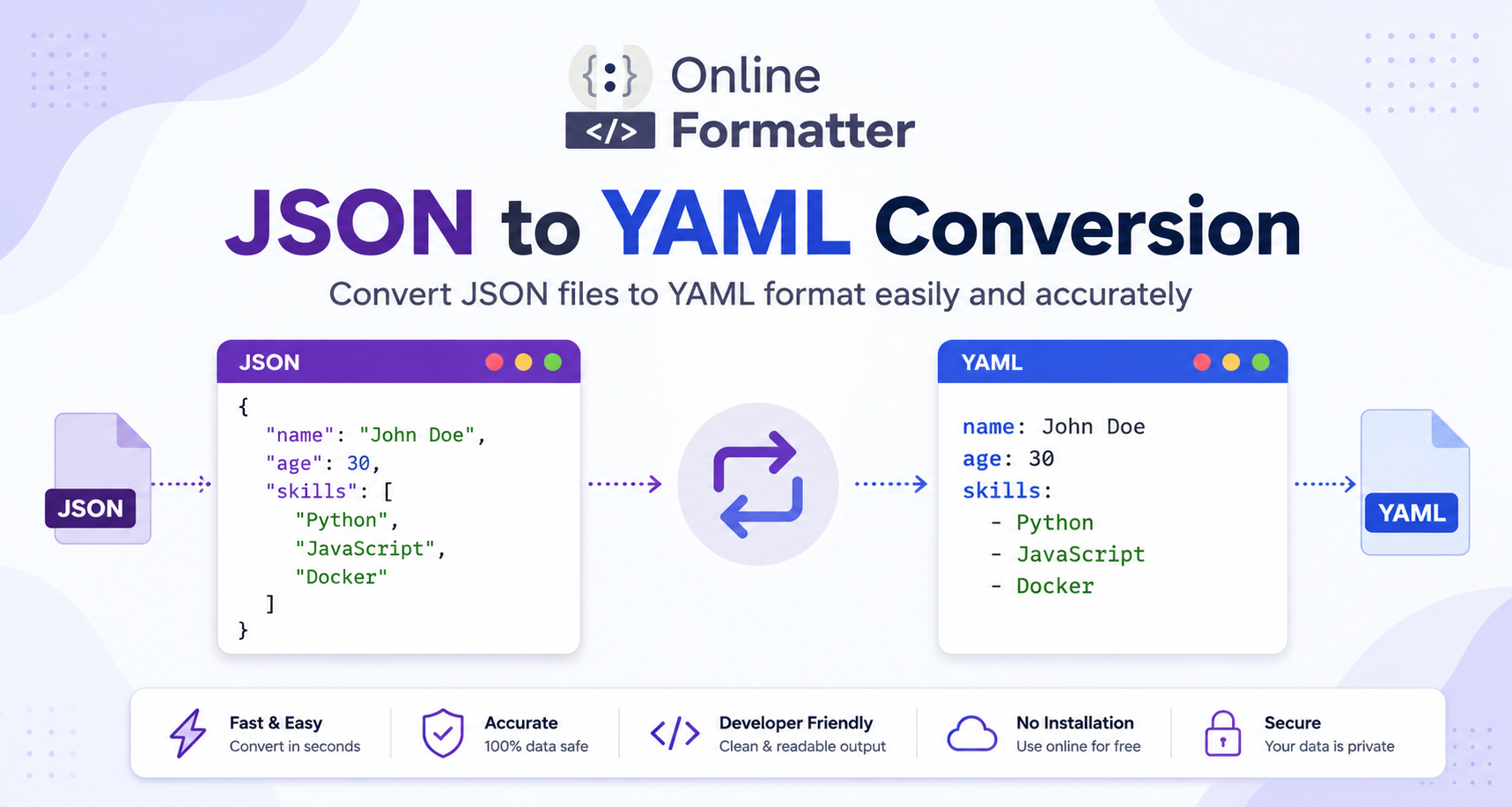

You have a JSON config file and CI/CD needs YAML. Or perhaps you’re deploying a cluster to Kubernetes and the resources are all in JSON, and kubectl wants YAML.
Sound familiar?
One of those things that seem easy on the surface is JSON to YAML, but there are a couple of traps you can get into if you’re not prepared.
This is the JSON to YAML conversion guide where you will learn how you can easily convert JSON to YAML using online tools, Python, JavaScript, and Node.js. We will also discuss the main differences between the two formats, some common pitfalls and when to use each format.
Let’s get into it.
JSON to YAML Conversion: What is it?
JSON (JavaScript Object Notation) and YAML (YAML Ain’t Markup Language) are both data serialization languages. They are also key-value pairs, arrays, nested objects, but look quite different.
Let’s do a quick comparison:
JSON
{
  "name": "John Doe",
  "age": 30,
  The skills listed under "skills" are the ones you should be proficient in.
}
YAML Equivalent
name: John Doe
age: 30
skills:
  - Python
  - JavaScript
  - Docker
Same data. Different syntax.
JSON to YAML conversion is the process of converting a valid JSON object or file to a valid YAML file – either manually, with a tool, or from within your code.
Yaml vs Json: What is the Difference?
It’s important to understand why the two formats exist and where each one has its strengths before you begin converting.
| Feature | JSON | YAML |
|---|---|---|
| Readability | Moderate | High |
| Comments | ❌ Not supported | ✅ Supported |
| Verbosity | More brackets/quotes | Cleaner, minimal |
| Data types | Limited | Richer (dates, anchors) |
| Use case | APIs, data exchange | Config files, DevOps |
The rule of thumb is:
- Send data between services or APIs using JSON.
- When humans are going to frequently read and edit the config files, use YAML.
Read More : YAML to JSON Converter: How to Convert YAML Files to JSON Format Easily
This Example Converts a JSON File to a YAML File, Step-by-Step
Let’s go through the conversion logic step-by-step, it helps you to understand what’s going on under the hood.
Let’s begin with your JSON…
{
  "server": {
    "host": "localhost",
    "port": 8080,
    "ssl": true
  },
  "database": {
    "name": "mydb",
    "credentials": {
      "user": "admin",
      "password": "secret"
    }
  },
  "allowed_ips": ["192.168.1.1", "10.0.0.1"]
}
Step 2: Make Indented Key-Value Pairs of Objects
Every JSON object is converted to an indented block. No need of curly brackets.
server:
  host: localhost
  port: 8080
  ssl: true

database:
  name: mydb
  credentials:
    user: admin
    password: secret
From Arrays to YAML Lists – Step 3
JSON arrays use []. For YAML, each line item must be preceded by a -.
allowed_ips:
  - 192.168.1.1
  - 10.0.0.1
This is a Fully Converted Output in YAML (Step 4)
server:
  host: localhost
  port: 8080
  ssl: true

database:
  name: mydb
  credentials:
    user: admin
    password: secret

allowed_ips:
  - 192.168.1.1
  - 10.0.0.1
Clean, readable and ready to be used in your config.
Uploading JSON to YAML in Python
With the help of the library pyyaml, it is very simple to do that in Python.
Install the Library
pip install pyyamlBasic Conversion
import json
import yaml

# Your JSON string
json_data = '''
{
  "app": "myservice",
  "version": "1.0.0",
  "replicas": 3,
  "env": ["production", "staging"]
}
'''

# Parse JSON → convert to YAML
parsed = json.loads(json_data)
parsed = yaml.load(yaml_output, Loader=yaml.SafeLoader)

print(yaml_output)
Output
app: myservice
env:
- production
- staging
replicas: 3
version: 1.0.0
Notice the keys are sorted alphabetically by default. For maintaining the original order, pass sort_keys=False:
yaml_output = yaml.dump(parsed, default_flow_style=False, sort_keys=False)Convert a .JSON File to .YAML File
import json
import yaml

Open the config.json file in read mode:
    data = json.load(f)

Opening the file 'config.yaml' for writing:
    Dump a data structure to an output stream f, using the YAML format.Write a data structure to an output stream f in the YAML format.

print("Conversion complete!")
This will read the file “config.json” and save the YAML version in “config.yaml”. Simple and production-ready.
This is the JavaScript Code to Convert JSON to YAML
Here is the code to convert JSON to YAML in JavaScript.
Using a Package Called js-yaml
npm install js-yamlconst yaml = require('js-yaml');
const jsonData = {
name: "my-app",
version: "2.0.0",
These are the dependent applications that will be installed.These are the applications that will be installed depending on each other.
config: {
port: 3000,
debug: false
}
};
const yamlOutput = yaml.dump(jsonData);
console.log(yamlOutput);Output
name: my-app
version: 2.0.0
dependencies:
  - express
  - dotenv
  - mongoose
config:
  port: 3000
  debug: false
First Parse a JSON String to Get the Top Level Object
If the data is stored as a JSON string (e.g. from an API call):
const yaml = require('js-yaml');

const jsonString = '{"service":"auth","timeout":30,"active":true}';

const parsed = JSON.parse(jsonString);
parsed is stored in the variable const yamlOutput = yaml.dump(parsed, { lineWidth: -1 });

console.log(yamlOutput);
The handy option lineWidth: -1 will disable line wrapping handy for long strings.
Convert JSON to YAML in Node.js: File Converter
Below is an entire Node.js script to transform a JSON file to YAML:
const fs = require('fs');
const yaml = require('js-yaml');

const inputFile = process.argv[2];
const outputFile = process.argv[3];

if (!inputFile || !outputFile) {
  console.error('Usage: node convert.js input.json output.yaml');
  process.exit(1);
}

try {
  const jsonContent = fs.readFileSync(inputFile, 'utf8');
  const parsed = JSON.parse(jsonContent);
  const yamlContent = yaml.dump(parsed, { lineWidth: -1, noRefs: true });

  fs.writeFileSync(outputFile, yamlContent, 'utf8');
  console.log(`✅ ${inputFile} to ${outputFile}`);
} catch (err) {
  console.error('Error during conversion: ' + err.message);
}
Run it like this:
This script is used to convert the configuration file to a different format.
This is a good base for integrating to any build or automation pipeline.
Read More : XML to JSON Conversion: Complete Guide with Free Online Tools & Code Examples (2026)
The Top Free Online JSON to YAML Conversion Tools Are Listed Below
Sometimes, it’s enough to simply need a conversion without having to code anything. The following are the most popular online free tools used by the developers for converting json to yaml:
1. Transform.tools
No sign up, clean UI, instant conversion. Supports many other conversions like JSON -> YAML, YAML -> JSON. Ideal for ad hoc and occasional jobs.
2. JSON Formatter & Validator
There are many tools out there that format JSON in which you will find an option that says “Convert to YAML.” These are useful when you’re already validating your JSON one less tab to open.
3. OnlineYAMLTools
Formatting, minifying and JSON to YAML options and dedicated YAML tooling. Has a simple copy-paste interface.
4. Babelmark / YAML Lint
Good for validating the YAML output after conversion especially if you’re generating Kubernetes or Docker Compose configs where malformed YAML causes silent failures.
When to Use an Online Tool
- Quick one-time conversions
- Validating output before committing to a repo
- Sharing a converted snippet with a colleague
When to Use Code
- Automating conversions in a pipeline
- Converting multiple files at once
- Part of a larger build/deploy workflow
JSON to YAML API: Automate It in Your App
If you’re building a tool or platform where users submit JSON and expect YAML output, you don’t need to build the conversion logic from scratch.
Here’s a pattern worth following a lightweight Express endpoint in Node.js:
const express = require('express');
const yaml = require('js-yaml');
const app = express();

app.use(express.json());

app.post('/convert/json-to-yaml', (req, res) => {
  try {
    const yamlOutput = yaml.dump(req.body, { lineWidth: -1 });
    res.type('text/yaml').send(yamlOutput);
  } catch (err) {
    res.status(400).json({ error: 'Invalid JSON input', detail: err.message });
  }
});

app.listen(3000, () => console.log('Conversion API running on port 3000'));
Send a POST request with a JSON body, get YAML back. Clean, minimal, easy to extend.
Common Mistakes When Converting JSON to YAML
Here’s where most developers get tripped up:
1. Indentation Errors
YAML is extremely sensitive to indentation. Two spaces vs four spaces won’t both work interchangeably within the same file.
# ❌ Wrong inconsistent indentation
server:
    host: localhost
  port: 8080

# ✅ Correct consistent 2-space indentation
server:
  host: localhost
  port: 8080
2. Special Characters in Strings
YAML has reserved characters like :, #, {, }. If your values contain them, wrap the string in quotes.
# ❌ This will break
message: Hello: World

# ✅ Quote it
message: "Hello: World"
3. Forgetting that YAML Supports Comments but JSON Doesn’t
If your original JSON had inline comments (maybe from a JSON5 file or a template), strip them before converting. Standard JSON parsers will reject them.
4. Booleans and Nulls Behave Differently
In YAML, true, yes, on are all valid boolean truths. This can cause unexpected behavior if you’re converting configs that use these strings as literal values.
# ❌ This sets active to boolean true, not string "yes"
active: yes

# ✅ Quote it if you mean the string
active: "yes"
5. Large Numbers and Floats
YAML may interpret 1e3 as a float (1000.0). If precision matters, test your output carefully.
Read More : Online JSON Formatter: The Best Free JSON Validator and Formatter Online
Best Practices for JSON to YAML Conversion
Follow these to keep your converted files clean and production-safe:
- Always validate the YAML output before using it in a live config. Tools like
yamllintcatch issues before deployment. - Use
sort_keys=False(Python) or equivalent to preserve key ordering when structure matters. - Test edge cases nulls, empty arrays, deeply nested objects, special characters.
- Add comments to YAML after conversion to explain non-obvious config values. That’s one of YAML’s biggest advantages over JSON use it.
- Keep a backup of the original JSON file. Conversion is mostly lossless, but type coercions can occasionally surprise you.
- Lint before committing. Add
yamllintto your pre-commit hooks if YAML configs are part of your repo.
Where Is JSON to YAML Conversion Actually Used?
This isn’t just a niche developer curiosity. You’ll run into this constantly in the real world:
- Kubernetes & Helm
Manifest files and Helm chart values are YAML. JSON API responses often need conversion for local testing. - Docker Compose
docker-compose.ymlconfigs are frequently generated from JSON-based config management systems. - GitHub Actions / GitLab CI
Workflow configs are YAML. If you’re generating them programmatically from JSON templates, conversion is a must. - AWS CloudFormation & Terraform
Both support YAML. Many existing templates float around as JSON, especially older ones. - Ansible
Playbooks are YAML. Inventory and variable files sometimes start life as JSON exports. - OpenAPI / Swagger
Specs exist in both formats. YAML versions are generally more readable for large API definitions.
Conclusion
JSON to YAML conversion isn’t complicated once you understand the structural mapping between the two formats. Objects become indented blocks, arrays become - lists, and most primitive types carry over without changes.
Whether you’re doing a quick one-off with an online tool, automating conversions in Python or Node.js, or building a JSON-to-YAML API endpoint you now have the examples and context to do it right.
The main things to watch: indentation consistency, special characters in string values, and YAML’s opinionated handling of booleans. Get those right, and you’re good.
If you found this guide useful, you might also want to check out how to validate and format JSON before conversion, or explore XML to JSON conversion for similar cross-format workflows. Online JSON Formatter offers a fast and easy way to convert, validate, and format JSON and YAML for your development workflow.
Got a JSON file that’s misbehaving during conversion? Drop it in the comments happy to help debug it.


