
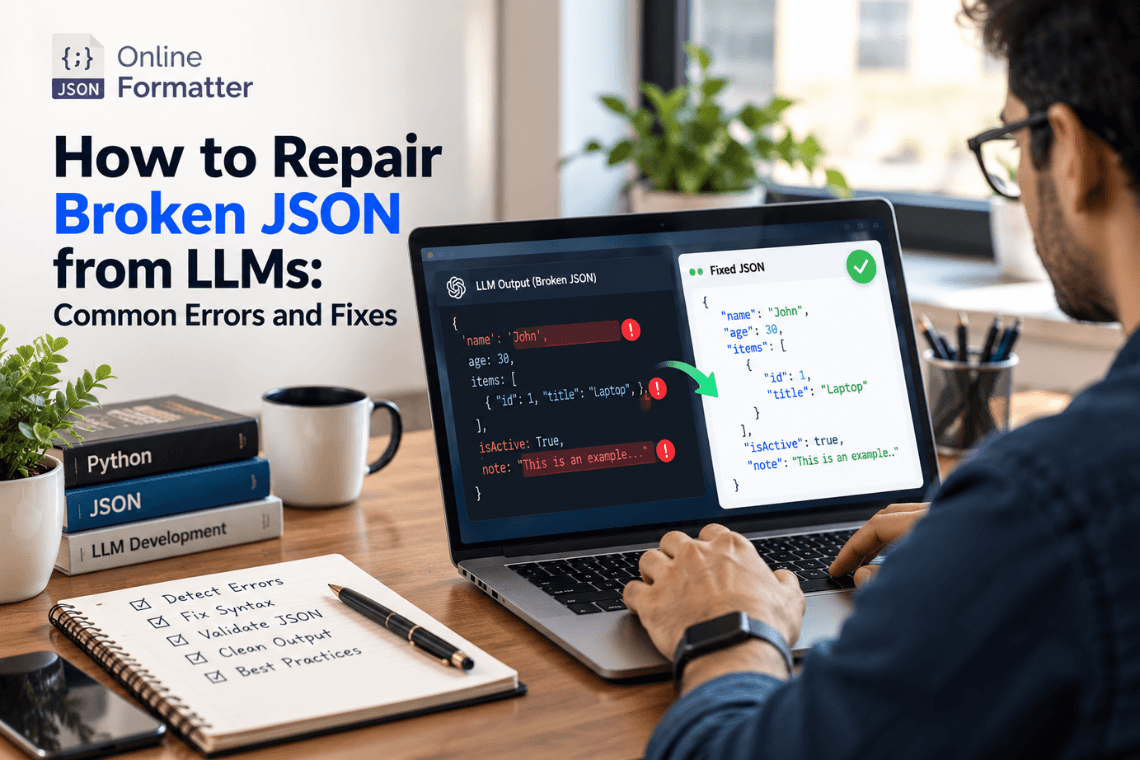

Any Large Language Model (LLM) writes text content one token at a time, and then writes the next token. text one token at a time. There’s no integrated checking tool to check whether it drops a bracket, adds an erroneous placeholder, or adds a comma in the wrong place. Models do such errors often.
4 major areas that LLM errors most frequently fall into include the following:
- Responses are cut short and delivered unfinished when the token limit is hit.
- LLMs often use single quotes instead of double quotes, or deliver responses with trailing commas.
- LLMs also miss the closing brackets often.
- JSON is delivered with separate explanations or surrounded by a markdown code block. All four are listed in the Vercel AI SDK’s own guidance on repairing model output.
9 Common JSON Errors and How to Fix Them
JSON as a language format is very stringent about grammar and formatting, and hence just a missing bracket or trailing comma can make the output invalid. The best thing about these errors is that they can easily be identified and fixed. Here are 9 such JSON errors and their corresponding fixes.
Error 1: Markdown text around the JSON
Markdown text around JSON text or code fences wrapped inside the JSON is a common error. The JSON is perfect, and the problem lies with the surrounding Markdown.
To fix this error, all you need to do is remove all the surrounding text or wrapped-up code, or anything apart from the actual JSON output. If there is a Markdown code fence, just remove the fence.
Error 2: Trailing comma
JSON grammar does not allow any comma after the final item. So, any trailing comma is a mistake that makes the JSON invalid.
The fix for this mistake is simple. Just remove the trailing comma before the closing bracket or after it.
Error 3: Single quotes
JSON doesn’t allow single quotes around strings. It uses double quotes around strings, unlike Python and JavaScript, which use single quotes.
Fix this error by replacing the single quotes with double quotes. Make sure the apostrophes appearing in sentences are skipped.
Error 4: Unquoted keys
JSON format requires enclosing every key with double quotes. For example, if the information is about a person’s age, both the name and the age must be enclosed in double quotes. But LLM output often omits quotes.
All you need to do is put double quotes around each key. Remember, the quoting rule must be followed for all JSON structures, including any data or objects within arrays.
Error 5: Python constants
We encounter errors when Python-style data is provided within a JSON output. This is bound to happen because the values used by JSON and Python for different words differ to a great extent. For example, Python uses None, True, and False, while JSON uses null, true, and false.
Fixing this requires replacing the Python-styled words with the JSON-specific ones. Replace None with null, True with true, and False with false.
Error 6: Comments
If comments appear in JSON output, it is an error that needs to be fixed. Developers often comment when writing code, but JSON does not support comments.
Just remove all comments from the JSON output. To add an explanation you can rather use a regular JSON field.
Error 7: Unescaped quotes and line breaks within strings
In JSON, quotes are used to mark the beginning and end of any string. Naturally, any quote within a string must be escaped. Otherwise, the JSON will be invalid. Similarly, line breaks within strings are also errors.
Make sure no quote appears within the string, and to escape quotes within the string, you can add a backslash just before the intended sentence within the string. To address the erroneous line breaks, use \n.
Error 8: Truncated output
Cutting off JSON responses because the token limit is hit is common. This error can be caused by network failure and a stipulated response length limit.
The best solution is to regenerate the response or request a shorter response that adheres to the length limit.
Error 9: Placeholder ellipsis
In JSON, using an ellipsis is not permitted. Ellipses are mostly used to notify that a portion of the content has been omitted. But since JSON doesn’t permit this, it should be considered an error.
All you need to do is to remove the ellipsis, or replace the same with relevant data. In case the data is omitted intentionally, you should use a JSON value like null.
JSON Formatter, A Dedicated Platform for All JSON Fixes
If you want to fix all these errors without any struggle or want to save time fixing everyday JSON errors, JSON Formatter brings you a powerful platform with multiple tools.
- Go to the JSON validator tool and paste the JSON output. The validator automatically detects errors and fault lines, and where parsing doesn’t happen.
- If you want to build a dedicated JSON error locator for validating all responses, we bring you a complete guide as well.
- The auto-fixer tool fixes all the JSON errors automatically. From repairing trailing commas to missing quotes to syntax mistakes, the auto-fixer tool does it all.
- You may be satisfied with the JSON output, but it can still be invalid because it doesn’t follow the perfect JSON schema. The JSON Schema Validator tool helps you validate every JSON output.
The best part is, JSON Formatter runs completely in the browser, so you can avoid API keys.
Ending Notes
Let’s not forget that prevention is always better than cure. While using any LLM, you can use the Structured Outputs feature with Strict Mode on to prevent the results from these errors. But even when you have multiple errors in your output, you can always take the help of dedicated JSON validation, formatting, and error-fixing platforms like JSON Formatter.

