
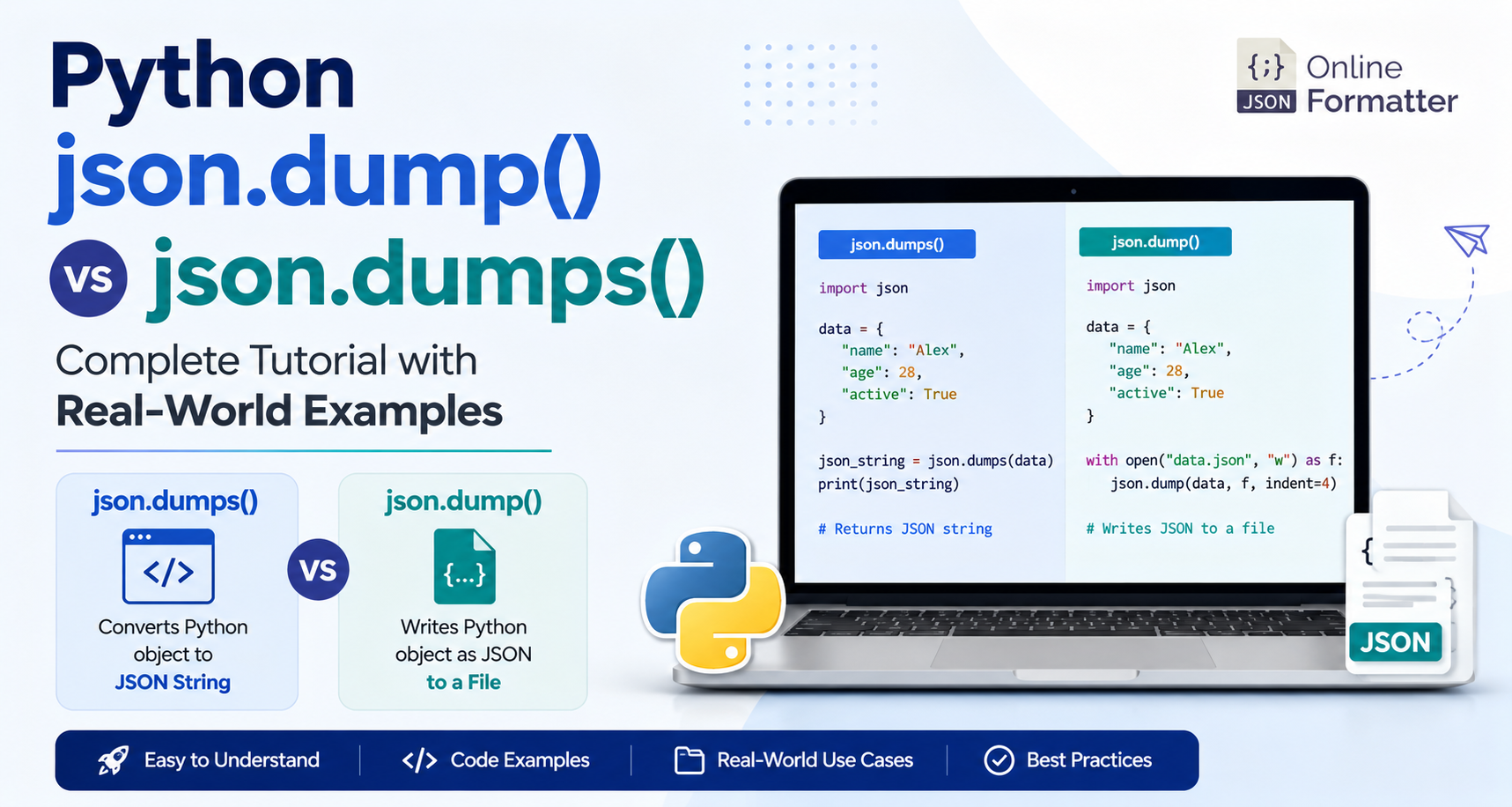

You’ve got a Python dictionary. You need to work with JSON. You open the docs, and suddenly you’re staring at two functions that look almost identical: json.dump() and json.dumps().
Which one should you use? Why do both exist? And what happens if you pick the wrong one?
If that sounds familiar, you’re not alone. This is one of those Python concepts that trips up developers at every level—not because it’s complicated, but because the difference isn’t immediately obvious.
If you want to inspect or format your JSON output while learning, you can also use our free JSON Formatter tool to make your JSON easier to read and validate.
Let’s clear it up once and for all.
What’s the Quick Answer?
Before diving deep, here’s the short version:
- json.dumps() → Converts a Python object into a JSON string
- json.dump() → Writes a Python object as JSON directly to a file
Easy way to remember: The extra “s” in dumps stands for string.
What Is JSON Serialization in Python?
JSON serialization is the process of converting a Python object (such as a dictionary, list, or number) into JSON format.
Python provides a built-in json module for this.
import jsonNo installation required—it’s included with Python.
Understanding json.dumps() – Convert Python Object to JSON String
json.dumps() converts a Python object into a JSON-formatted string.
Syntax
json.dumps(
    obj,
    *,
    skipkeys=False,
    ensure_ascii=True,
    indent=None,
    separators=None,
    default=None,
    sort_keys=False
)
Simple Example
import json

user = {
    "name": "Alex",
    "age": 28,
    "is_active": True,
    "tags": ["python", "backend"]
}

json_string = json.dumps(user)

print(json_string)
print(type(json_string))
Output
{"name": "Alex", "age": 28, "is_active": true, "tags": ["python", "backend"]}
<class 'str'>
Notice how Python’s True automatically becomes JSON’s true.
Pretty Printing JSON
json_string = json.dumps(user, indent=4)

print(json_string)
Output:
{
    "name": "Alex",
    "age": 28,
    "is_active": true,
    "tags": [
        "python",
        "backend"
    ]
}
Sort Keys Alphabetically
json.dumps(user, sort_keys=True, indent=4)Useful when generating consistent output.
Understanding json.dump() – Write JSON Directly to a File
Unlike json.dumps(), json.dump() writes JSON directly into a file.
Syntax
json.dump(
    obj,
    fp,
    *,
    skipkeys=False,
    ensure_ascii=True,
    indent=None,
    separators=None,
    default=None,
    sort_keys=False
)
Here, fp means file pointer.
Simple Example
import json

user = {
    "name": "Alex",
    "age": 28,
    "is_active": True,
    "tags": ["python", "backend"]
}

with open("user.json", "w") as f:
    json.dump(user, f, indent=4)
This creates a file named user.json.
Reading JSON Back
with open("user.json", "r") as f:
    loaded_user = json.load(f)

print(loaded_user["name"])
Output
Alexjson.dump() vs json.dumps() – Side-by-Side Comparison
| Feature | json.dumps() | json.dump() |
|---|---|---|
| Returns | JSON string | None |
| Writes to file | ❌ No | ✅ Yes |
| Requires file object | ❌ No | ✅ Yes |
| Best for | APIs, network, memory | Saving JSON files |
| Memory usage | Stores JSON in memory | Writes directly to disk |
Visit Now Tool :- JSON Beautifier tool
Real-World Examples
Example 1 – API Response
When building an API, you need a JSON string.
import json

def get_user_response(user_id):
    user = {
        "id": user_id,
        "name": "Sarah",
        "role": "admin"
    }

    return json.dumps(user)

response = get_user_response(42)

print(response)
Output
{"id": 42, "name": "Sarah", "role": "admin"}Example 2 – Saving Configuration
import json

config = {
    "theme": "dark",
    "language": "en",
    "notifications": True,
    "max_retries": 3
}

with open("config.json", "w") as f:
    json.dump(config, f, indent=2)

print("Config saved.")
Perfect for application settings.
Example 3 – Logging Events
import json
from datetime import datetime

def log_event(event_type, details):

    log_entry = {
        "timestamp": datetime.utcnow().isoformat(),
        "event": event_type,
        "details": details
    }

    with open("events.log", "a") as f:
        f.write(json.dumps(log_entry) + "\n")

log_event("login", {"user": "bob"})
This creates NDJSON (Newline Delimited JSON).
Example 4 – Sending Data Over a Socket
import json

payload = {
    "action": "update_status",
    "user_id": 101,
    "status": "online"
}

message = json.dumps(payload).encode("utf-8")
Sockets require strings or bytes—not files.
Common Parameters
indent
Pretty prints JSON.
json.dumps(data, indent=4)sort_keys
Sort dictionary keys alphabetically.
json.dumps(data, sort_keys=True)ensure_ascii
Keep Unicode characters readable.
data = {"city": "São Paulo"}

print(json.dumps(data))
print(json.dumps(data, ensure_ascii=False))
Output
{"city": "S\u00e3o Paulo"}

{"city": "São Paulo"}
default
Serialize unsupported objects.
import json
from datetime import datetime

def serializer(obj):
    if isinstance(obj, datetime):
        return obj.isoformat()

    raise TypeError()

data = {
    "created_at": datetime.now()
}

print(json.dumps(data, default=serializer))
Common Mistakes to Avoid
Mistake 1 – Expecting json.dump() to Return a String
❌ Wrong
result = json.dump(data, f)

print(result)
Returns:
None✅ Correct
json.dump(data, f)

result = json.dumps(data)
Mistake 2 – Passing a Filename Instead of a File Object
❌ Wrong
json.dump(data, "output.json")✅ Correct
with open("output.json", "w") as f:
    json.dump(data, f)
Mistake 3 – Forgetting UTF-8 Encoding
❌
with open("data.json", "w") as f:
    json.dump(data, f)
✅
with open("data.json", "w", encoding="utf-8") as f:
    json.dump(data, f, ensure_ascii=False)
Mistake 4 – Using json.dump() for NDJSON
Correct approach:
with open("log.ndjson", "a") as f:
    f.write(json.dumps(record) + "\n")
Best Practices
- Always use
withblocks when writing files. - Use
indentonly for human-readable JSON. - Use
encoding="utf-8"withensure_ascii=Falsefor international characters. - Wrap serialization inside
try/except. - Use
json.dump()for large datasets to avoid storing the entire JSON string in memory.
Example:
try:
    json_string = json.dumps(data)
except TypeError as e:
    print(e)
When Should You Use Which?
Use json.dumps() When
- You need a JSON string
- Sending API responses
- Sending data over sockets
- Storing JSON in memory
- Working with NDJSON
Use json.dump() When
- Saving JSON files
- Exporting configuration
- Writing backups
- Exporting reports
- Writing large datasets directly to disk
Quick Reference Cheat Sheet
import json

data = {
    "key": "value",
    "count": 42
}

# json.dumps()

s = json.dumps(data)

s = json.dumps(data, indent=4)

s = json.dumps(data, sort_keys=True)

s = json.dumps(data, ensure_ascii=False)

# json.dump()

with open("file.json", "w", encoding="utf-8") as f:

    json.dump(data, f)

    json.dump(data, f, indent=4)

    json.dump(data, f, ensure_ascii=False)

# Reading JSON

s2 = json.loads(s)

with open("file.json") as f:

    d2 = json.load(f)
Conclusion
The difference between json.dump() and json.dumps() comes down to one simple question:
- Need a JSON string? → Use json.dumps()
- Need to save JSON to a file? → Use json.dump()
Both functions are part of Python’s standard library, require no additional installation, and are widely used in real-world applications.
Once you understand this distinction, choosing the right function becomes second nature—whether you’re building APIs, exporting configuration files, logging structured data, or saving application state. Keep learning with Online JSON Formatter, where you’ll find practical JSON tutorials and free tools to format, validate, convert, and analyze JSON effortlessly.


